AI Object Removerfree online to remove anything from any photo
Free online AI object remover — erase people, photobombers, ex-partners, tourists, wires, signs and anything else from any photo in seconds, at full resolution, with no watermark of our own.
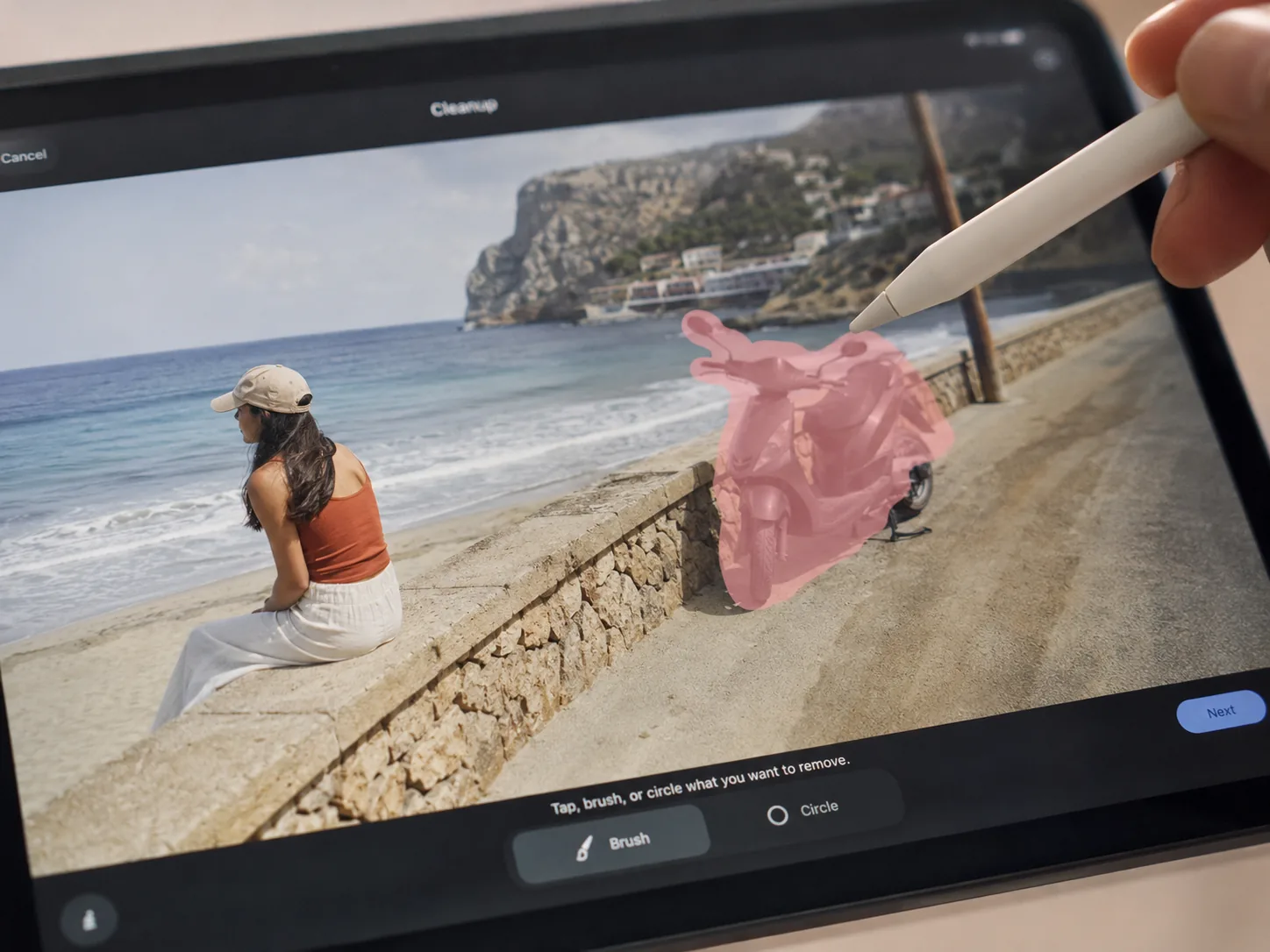
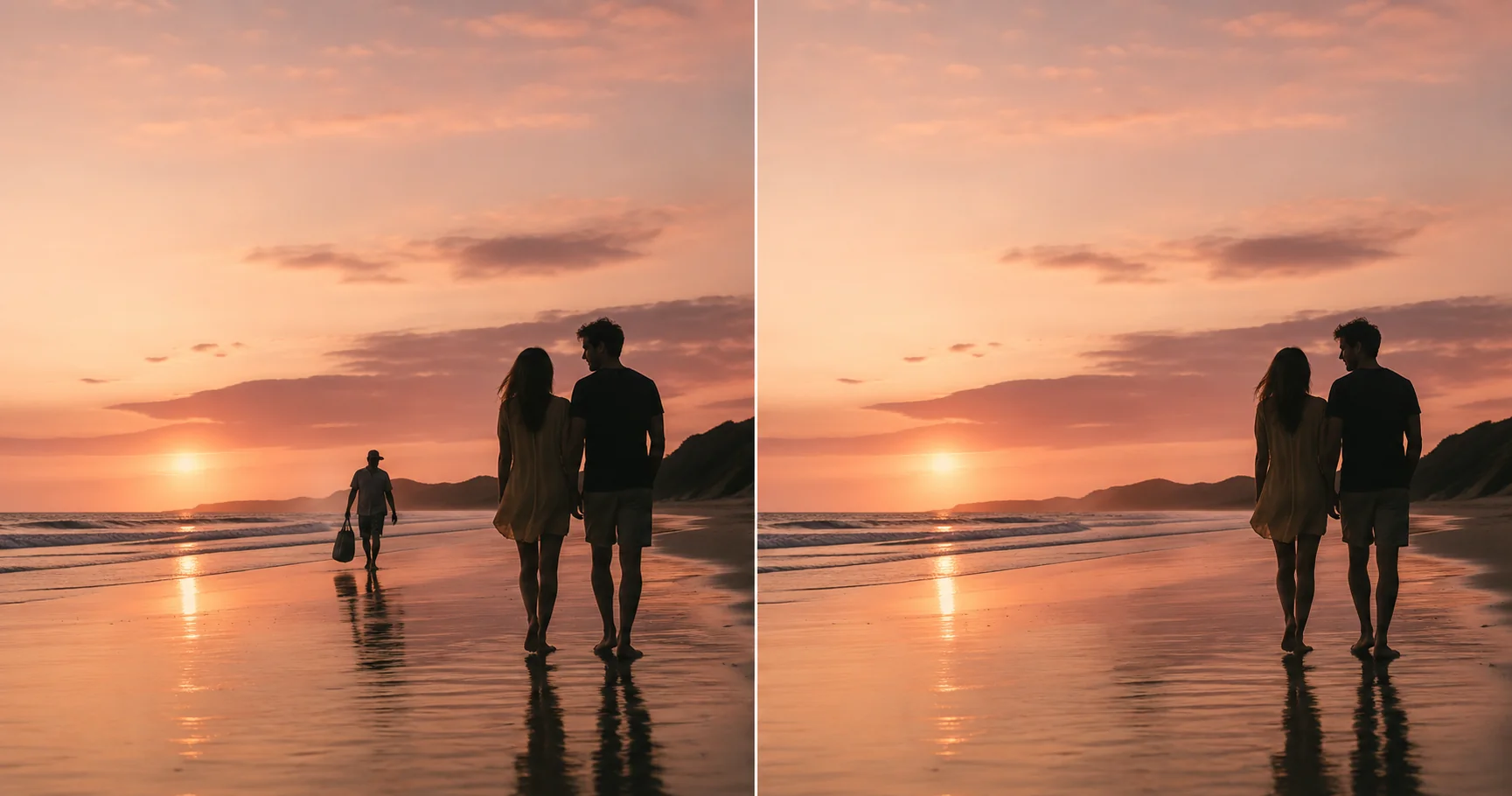
Watch the demo above. Sign in to upload your own photo and run the AI object remover for real — new accounts get free credits.
Preview Examples
Live demoTap a tab to switch the demo — first tab has a drag-to-compare slider


Private · your photo is auto-deleted within 24h
Free
Preview · no card · no daily cap
5,200+
Objects erased this week
24h
Photo auto-deleted after use
Quietly built for travelers, photographers, Shopify sellers and parents who want a cleaner version of a photo they already love.
Loved by travel bloggers · real-estate photographers · Shopify sellers · single parents
What is an AI Object Remover?
An AI object remover is a deep-learning tool that takes any unwanted item out of a photo without leaving a smudge behind. Instead of cloning pixels with a manual stamp brush, the AI object remover looks at the whole picture, predicts what was hiding behind the mark, and rebuilds the background with matching colors, light and texture. What Photoshop took twenty minutes to retouch with the clone tool, the AI object remover finishes in seconds — that is the whole promise of AI object removal.
¶Imya's free AI object remover runs a state-of-the-art inpainting model trained on millions of photos, so it understands skies, skin, foliage, asphalt and product surfaces — not just flat colors. When you remove anything from a photo with Imya, the AI keeps the rest of the image untouched at full resolution and hands you back a clean, object-free photo with no watermark of our own. Compared with a generic ai eraser or a one-tap phone filter, this real AI object remover handles people, photobombers, wires, signs, watermarks, logos and full background objects across the entire frame.
¶The Imya AI object remover is at its best when you want to remove anything from a photo that you already love — a vacation shot with one tourist in the way, a portrait with an ex in the corner, a listing photo with a power line crossing the sky, a product photo with stray clutter on the table. Whether you call it an ai eraser, an ai photo remover, an ai image eraser, an object eraser or simply an ai object remover online, the Imya tool quietly removes the object and gives the photo back clean.
How to Remove an Object from a Photo with AI in 3 Steps
From a photo with an unwanted item to a clean, object-free image in under a minute — no editing skill, no Photoshop and no sign-up to preview the AI object remover.
01Step 1 — Upload your photo to the AI object remover
Drop any photo with an unwanted item you want to remove — JPG, PNG or WEBP, up to 16 MB. A clear, high-resolution source gives the AI object remover the most pixels to rebuild from.
02Step 2 — Mark or auto-detect the object to remove
Let the AI object remover auto-detect the object, or brush over the person, photobomber, wire or item you want gone. A little extra margin around the edges helps the AI blend the background more naturally.
03Step 3 — Download your clean, object-free photo
In seconds the AI object remover rebuilds the background and gives you a clean photo at full resolution — no Imya logo, no banner, no quality drop. Download or copy and you are done.
What You Can Erase with the AI Object Remover
One AI object remover, many kinds of objects. Six of the most common reasons people open the Imya AI object remover online — every one runs free, with no sign-up to preview.
N°01Use case · 01Photobombers & strangers in the background
The classic reason people search for an AI object remover free online — one stranger walked into the perfect shot. Drop the photo in, let the AI object remover detect the photobomber, and the rest of the scene stays exactly as you took it, at full resolution.
Try the AI object remover on this kind of photo
N°02Use case · 02Tourists & crowds in travel photos
An empty Eiffel Tower shot, a clean Santorini alley, a Bali temple without ten phones in the frame — the AI object remover quietly erases tourists, queues and crowds so your travel photos feel like the moment you remember, not the chaos that was actually there.
Try the AI object remover on this kind of photo
N°03Use case · 03Wires, signs, trash & street clutter
Real-estate photographers, urban photographers and architects love this one. The AI object remover lifts power lines from skies, traffic signs from facades, trash cans from sidewalks and scaffolds from rooftops — the photo keeps its sky and texture, just minus the clutter.
Try the AI object remover on this kind of photo
N°04Use case · 04Ex-partners & unwanted people in old photos
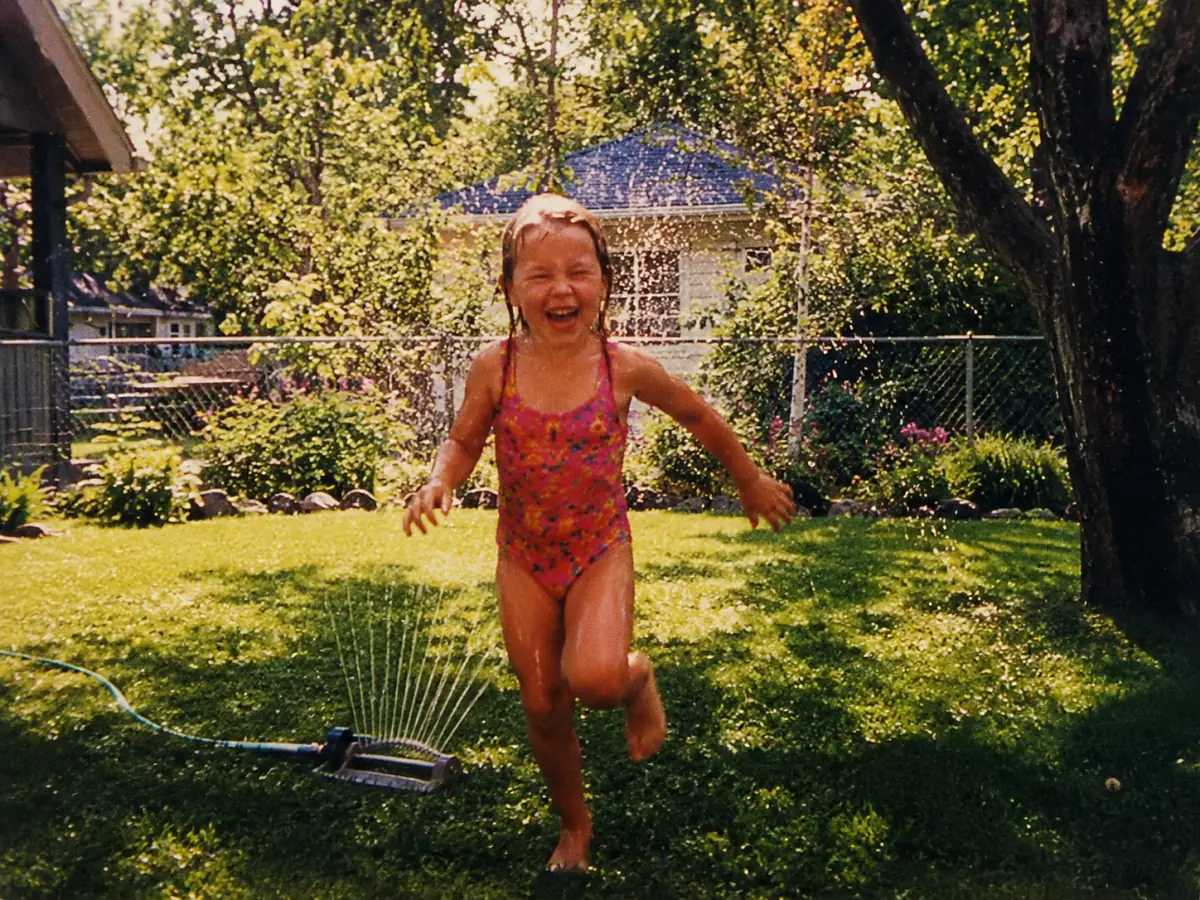
A surprisingly tender use case for the AI object remover. Pull out a family picture with one person you would rather not see, let the AI object remover rebuild the wall, sofa or beach behind them, and keep the rest of the memory intact at full resolution.
Try the AI object remover on this kind of photo
N°05Use case · 05Watermarks, logos & date stamps
An AI object remover is also an excellent ai eraser for text. Date stamps, old timestamps, stock-photo logos and screenshot watermarks all behave like objects — paint over them and the AI object remover rebuilds the photo behind the mark without touching the rest.
Try the AI object remover on this kind of photo
N°06Use case · 06Background distractions in product & listing shots
Shopify sellers, Etsy sellers and Airbnb hosts use the AI object remover to clean listing photos — a phone on the counter, a sock under the bed, a cable on the desk. The AI object remover removes the object, keeps the product or room in place, and the listing looks studio-shot.
Try the AI object remover on this kind of photo
Why Creators Pick the Imya AI Object Remover
Five reasons travelers, photographers and sellers keep coming back to this free AI object remover — no paywall, no daily 3-photo wall and no watermark of our own on your result.

- N°01
Truly free, no daily 3-photo wall
Most online object removers cap you at three free photos a day. Imya lets you preview the AI object remover for free with no sign-up, then run real removals with free starter credits — no surprise paywall after the third shot.
- N°02
Full resolution, no quality tax
Other ai object remover tools quietly downscale your photo before they hand it back. Imya keeps the original resolution so a 4K photo downloads as a 4K, object-free photo — print-ready, listing-ready, archive-ready.
- N°03
Smart AI inpainting, not just a blur
The Imya AI object remover runs a real inpainting model — it rebuilds the sky, foliage, wall or sofa behind the mark, instead of smearing pixels into a blob. The result looks like it was never in the photo.
- N°04
Auto-detect plus manual brush
Let the AI object remover find the object for you, or paint exactly the area you want gone. One AI object remover, two ways — flexible control without a Photoshop learning curve.
- N°05
Private — your photo is yours
Uploads to the AI object remover are encrypted, never used to train AI models and auto-deleted within 24 hours. Imya sees the photo only long enough to remove the object, then forgets it.
AI Object Remover Comparison — Imya vs the Rest
How the free Imya AI object remover compares with the other ai object remover tools people search for — Fotor, YouCam, Pixelcut, Magic Eraser and Inpaint.
| Feature | ★Imya | Fotor | YouCam | Pixelcut | Magic Eraser |
|---|---|---|---|---|---|
| Free preview | ✓no sign-up | 3 photos cap | 3/day cap | limited | Pixel only |
| Real removal cost | Free credits | $9/mo | Paid | Paid plan | Pixel device |
| Keeps full resolution | ✓ | downscaled | ✓ | ✓ | downscaled |
| Watermark on the result | None | Free tier | Free tier | None | None |
| Auto-detect + manual brush | ✓ | brush only | auto only | ✓ | auto only |
| Photo auto-deleted | 24h | unclear | unclear | unclear | on-device |
Across the things creators actually need — a free preview, full resolution, no extra watermark and quiet privacy — Imya is the most complete free AI object remover online.
Tips for the Cleanest AI Object Remover Results
From the Imya AI team
- Tip 01
¶Start with the highest-resolution photo you have
The AI object remover rebuilds the background from the pixels around the object. A sharp, high-resolution source gives the AI object remover far more to work with than a tiny phone screenshot, so a 4K vacation shot cleans much better than a tiny crop.
- Tip 02
¶Brush a little wider than the object's edge
When you mark an object by hand, paint a small margin around the person, photobomber or wire instead of tracing it tightly. Extra room lets the AI object remover blend the rebuilt area into the surrounding texture without a visible halo.
- Tip 03
¶Remove one object at a time for complex scenes
When a photo has several unwanted items — say a crowd in front of a temple — run the AI object remover once per group, then drop the result back into the tool. Two or three passes cost almost nothing and the second pass is usually flawless.
- Tip 04
¶Try a different AI model on tricky backgrounds
Busy textures — leaves, fabric, hair, water — sometimes need a different engine. The Imya AI object remover ships with six models. If the first pass leaves a ghost, switch to Editorial or Polished and re-run; the AI object remover usually nails it.
What Creators Say About the AI Object Remover
Quiet feedback from the travelers, real-estate photographers and parents who tried this AI object remover before its public launch.
I cleaned every photobomber out of my Bali shots in one afternoon. The AI object remover kept the temple textures and sky exactly as I shot them — I could not tell where the strangers used to be.
Mia L.Travel blogger · SingaporeErasing power lines from listing photos used to cost me 30 minutes in Photoshop. With the Imya AI object remover it is five seconds per listing. My houses sell faster because the skies look cleaner.
Daniel R.Real-estate photographer · AustinRemoving my ex from old family photos was the closure I needed. Free, fast, no judgment. The AI object remover rebuilt the sofa behind him like he was never on it.
Jasmine P.Single mom · Manchester
Frequently Asked Questions About the AI Object Remover
An AI object remover is a deep-learning tool that removes an unwanted item from a photo and rebuilds the background underneath it. Instead of cropping or cloning, the AI object remover predicts what was hiding behind the person, photobomber, wire or sign, then paints in matching colors, light and texture. The result is a clean, object-free photo at the original resolution.
More Free AI Photo Tools from Imya
Ready to erase anything from your photo?
Open the Imya AI object remover, drop your photo, and walk away with a clean, full-resolution image that looks like it was never there.
Try the AI Object Remover free →Free preview · No sign-up · Photo deleted in 24h