
On this page
GPT Image 2 API
Generate one production-ready GPT Image 2 image from a prompt, with optional reference images, through one predictable async API. imya handles task state, live plan pricing, and generated assets.
REST API · v1 · Async tasks
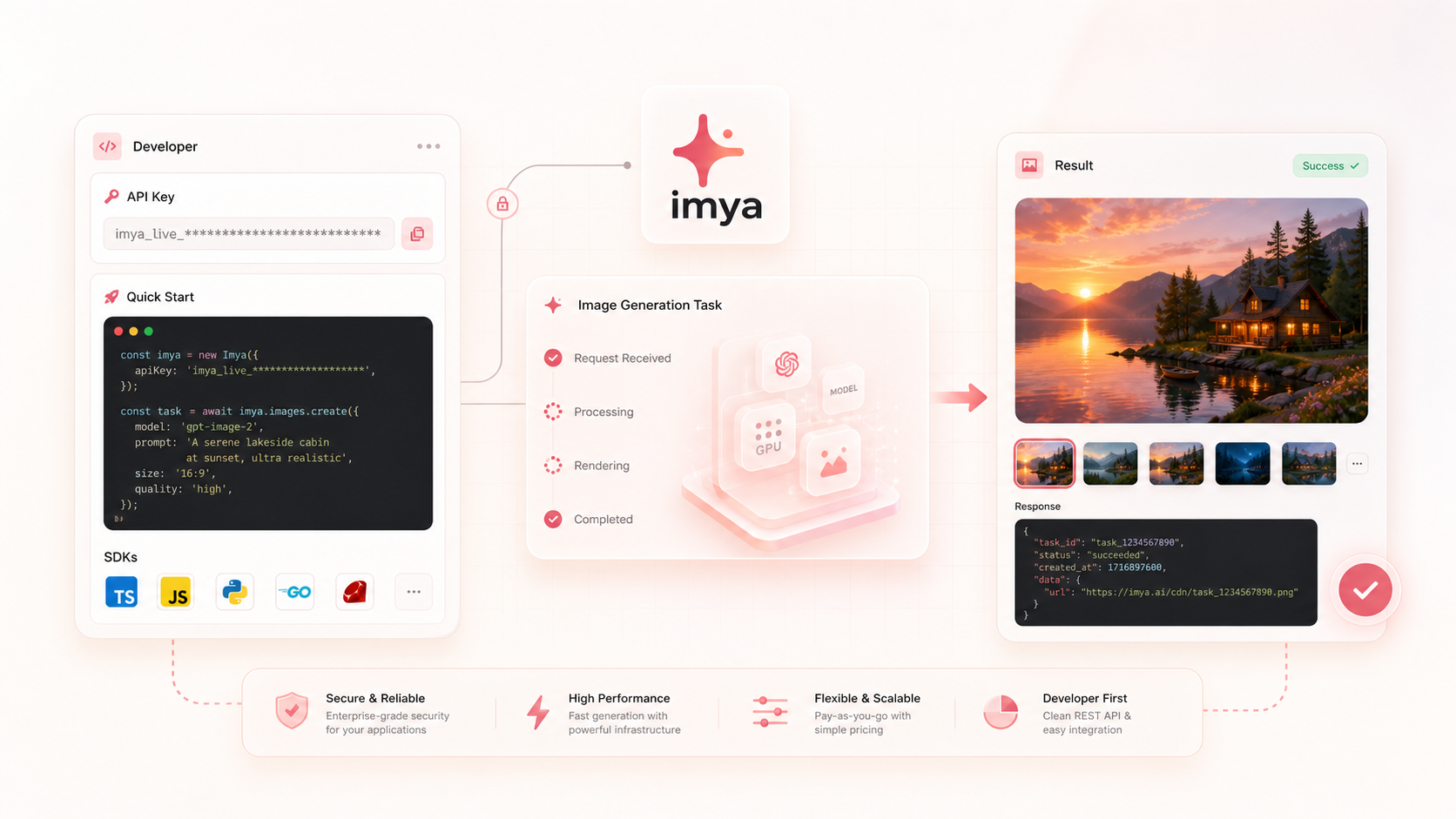
Make your first request
The API is asynchronous: create a task, keep the returned task ID, then retrieve the task until a result is ready.
- 1
Create an API key
Generate a key from your imya account settings.
- 2
Create a task
Send the model ID, prompt, and output options.
- 3
Retrieve the result
Poll the task until it succeeds or fails.
Authentication and idempotency
Send your imya API key as a Bearer token. Every generation POST also requires a unique Idempotency-Key so safe retries cannot create a second charge.
Authorization: Bearer YOUR_IMYA_API_KEY
Content-Type: application/json
Idempotency-Key: YOUR_UNIQUE_REQUEST_KEY
Create an image generation
Creates an asynchronous GPT Image 2 task and atomically deducts the exact credits returned as credits_reserved.
/v1/images/generationscurl https://imya.ai/v1/images/generations \
-H "Authorization: Bearer YOUR_IMYA_API_KEY" \
-H "Content-Type: application/json" \
-H "Idempotency-Key: gpt-image-order-001" \
-d '{
"model": "gpt-image-2",
"prompt": "A luxury perfume product photo on warm marble, soft studio light",
"aspect_ratio": "1:1",
"resolution": "1K",
"n": 1
}'Retrieve a task
Returns the latest task state, final credit usage, generated assets, or a structured error. Poll at least 5 seconds apart; faster requests still count toward the rate limit but do not refresh upstream state.
/v1/tasks/{id}curl https://imya.ai/v1/tasks/task_0123456789abcdef0123456789abcdef \
-H "Authorization: Bearer YOUR_IMYA_API_KEY"Request parameters
| Field | Type | Required | Description |
|---|---|---|---|
| model | string | Yes | Use gpt-image-2. |
| prompt | string | Yes | Text prompt for the image, from 1 to 20,000 characters. |
| aspect_ratio | string | No | auto, 1:1, 3:2, 2:3, 4:3, 3:4, 5:4, 4:5, 16:9, 9:16, 2:1, 1:2, 3:1, 1:3, 21:9, or 9:21. |
| resolution | string | No | 1K, 2K, or 4K. Some aspect ratios support 1K only. |
| n | number | No | Must be 1. Exactly one image is generated. |
| image_urls | string[] | No | 1 to 16 public HTTPS reference images for image-to-image. |
Responses
{
  "id": "task_0123456789abcdef0123456789abcdef",
  "status": "pending",
  "model": "gpt-image-2",
  "created_at": "2026-07-15T08:00:00.000Z",
  "updated_at": "2026-07-15T08:00:00.000Z",
  "credits_reserved": 13
}{
"id": "task_0123456789abcdef0123456789abcdef",
"status": "succeeded",
"model": "gpt-image-2",
"created_at": "2026-07-15T08:00:00.000Z",
"updated_at": "2026-07-15T08:00:42.000Z",
"credits_reserved": 13,
"credits_used": 13,
"data": [
{
"url": "https://cdn.imya.ai/generated/example.png"
}
]
}Credit billing
Base cost is 10 credits at 1K, 15 at 2K, and 24 at 4K. The server then applies the API key owner’s current plan coefficient and returns the live charge as credits_reserved. The example shows a regular account charged 13 credits at 1K. Always use the response value; n is fixed at 1.
Task status
pendingThe task was accepted and is waiting to start.
processingThe model is generating the requested output.
succeededGeneration finished and data contains the assets.
failedGeneration failed. Read the structured error object.
Errors
400Missing Idempotency-Key or malformed JSON.
401Missing or invalid API key.
402The account does not have enough credits.
403The API account is disabled.
404The task was not found or does not belong to this account.
409The idempotency key was reused with a different body.
413The request body exceeds 64 KiB.
415Content-Type must be application/json.
422The model, prompt, aspect ratio, resolution, n, or reference image is invalid.
429The API key reached its rate or concurrency limit.
5xxThe request could not be completed or submitted.
Shared Imya API contract
These rules apply to every public image and video generation endpoint. Model-specific fields and prices remain in the parameter table above.
Billing and safe retries
The exact credits shown in credits_reserved are deducted atomically when a new task is accepted. Replaying the same Idempotency-Key and request body returns the original task without a second charge.
Timeouts and refunds
A task that has not reached a terminal result within 30 minutes fails. Eligible credits are refunded once, and the refund keeps the original credit expiration date.
Rate and concurrency limits
Each API key can make up to 120 requests per 60 seconds. One account can run up to five image tasks or three video tasks at the same time. A 429 response may include Retry-After guidance; honor it when present.
Polling and task ownership
Poll GET /v1/tasks/{id} at least five seconds apart, using the id returned by task creation. Faster requests still count toward the API-key rate limit and do not refresh upstream state. Only the account that created a task can retrieve it. Webhooks, SDKs, and batch submission are not currently available.
Errors and content safety
Public errors are sanitized and never expose upstream credentials, internal URLs, or infrastructure details. Unsafe prompts can be rejected with prompt_blocked before generation starts.
Image result retention
Stored image results remain available for seven days on free accounts and up to 30 days on active paid or Lifetime accounts. After deletion, the response has status failed and error.code media_deleted instead of an empty success.
GPT Image 2 API production integration guide
Treat a reliable GPT Image 2 integration as a small asynchronous job system, not one long-running HTTP request. Persist the id returned for every Imya task and make retries deterministic. These practices cover production decisions.
Choose parameters from the model contract
Validate every request against this page's parameter table. During development, begin with the smallest supported input and output settings, then increase quality, dimensions, duration, or reference count only when the product requires it. Check user-provided prompt length, file type, and file size before calling the API.
For reference-image workflows, preserve the reference order and make sure the user has permission to use every uploaded image.
Design the asynchronous workflow for recovery
Submit the image task, store its returned id with your job record, and let a background worker retrieve status. Poll GET /v1/tasks/{id} at least five seconds apart. Faster requests still count toward the API-key rate limit but do not refresh upstream state. The public status is pending, processing, succeeded, or failed. Stop at a terminal state or the hard 30-minute deadline. Imya does not currently provide webhooks, SDKs, or batch submission, so integrate through direct HTTP requests and polling.
- 01Persist id, status, credits_reserved, and the request identity before updating the UI.
- 02Back off after transient network errors, respect Retry-After on 429 responses, and never turn a transport error into a new paid task automatically.
- 03Limit work per account: up to five concurrent image tasks. Each API key also has a limit of 120 requests per 60 seconds.
Make billing and retries deterministic
When a new task is accepted, the exact credits_reserved amount is deducted atomically. Generate one Idempotency-Key for each intended creation and save it with the request. Replaying that key with the same body returns the original task without another charge. A changed request needs a new key.
For an eligible failed task, Imya refunds credits once and preserves their original expiration date. The public status remains failed: error.code is refund_pending while settlement is processing, and credits_refunded appears when settlement completes. Reconcile by id; never issue credits in the client.
Protect credentials, ownership, and generated media
Keep API keys on your server, never in browser or mobile bundles. Associate each returned id with its authenticated user or workspace and verify ownership before displaying a result. Log request and task IDs for support without exposing prompts, private media URLs, or credentials.
Image results remain available for seven days on free accounts and up to 30 days on active paid or Lifetime accounts. After removal, the response has status failed and error.code media_deleted. Copy required results into storage you control, with user consent and a clear privacy policy.
Production checklist
- Validate model-specific fields before submitting.
- Store one idempotency key and body per intended task.
- Persist state and poll at least five seconds apart.
- Enforce account concurrency and key rate limits.
- Handle the four public statuses explicitly; for failed responses, inspect error.code for media_deleted or refund_pending and credits_refunded for a completed refund.
- Keep credentials server-side and define result retention.
Common questions
How often should my worker poll?
Wait at least five seconds; use slower backoff while processing continues.
When are credits charged?
The exact credits_reserved amount is deducted atomically when a new task is accepted.
Can a retry charge twice?
Not when the same Idempotency-Key and identical body are replayed; the original task returns.
How should I handle terminal failure?
Show a clear error, retain id, and let the server complete any eligible one-time refund. Inspect credits_refunded instead of waiting for a separate refunded status.
Want to test the model before integrating?
Open the hosted GPT Image 2 generator to compare prompts and output settings without writing code.
Try GPT Image 2 online