Seedream 5 — AI Image Generator
Generate images with Seedream 5 right in your browser. Choose 5.0 Lite or 5.0 Pro, write a prompt, render photoreal detail and legible text, and review the credit cost before generation.
Seedream 5 image generator
Login + credits required to render and download.
Sample outputs
Click Generate to replace these with yours
These are pre-generated samples — your images appear here when the selected model finishes.
Switch models any time inside the generator
What Is Seedream 5?
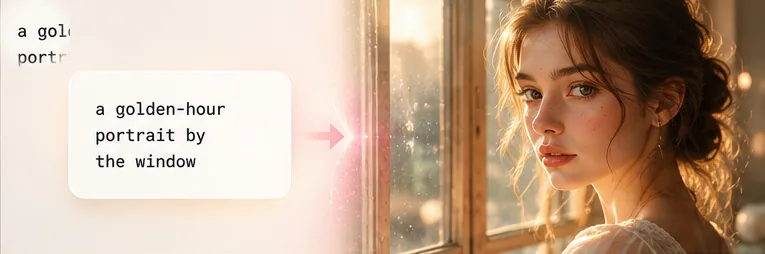
Seedream 5 is the newest image model in ByteDance’s Seedream family, the successor to the popular Seedream 4.5. Like the models before it, it turns a plain-text prompt into a finished picture — but this release focuses on sharper photoreal detail, more reliable text inside images, and faster renders, so a single prompt is usually enough to get a usable result.
On this page you can use the free online 5.0 Lite tier without any setup. Type what you want, choose an aspect ratio, and the model does the rest in your browser — no app to install and no GPU to rent. Because it is a free tool at heart, you can explore prompts and sample outputs before you ever spend a credit.
Seedream 5 is built for everyday creators as much as designers: photoreal portraits, posters with crisp typography, product mockups, social thumbnails, anime art and 3D characters all sit within reach of one prompt.
Seedream 5 Lite vs Seedream 5 Pro
The line is offered in tiers. Here is how 5.0 Lite and Pro compare — and which one you are using on this page.
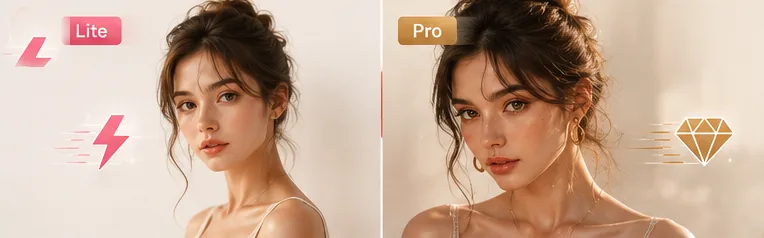
Seedream 5.0 Lite
The fast, affordable tier — the one powering the free generator on this page. It is tuned for quick photoreal images and accurate in-image text, ideal for drafts, social posts and everyday ideas.
- Fastest renders (~18s)
- Great for prompts, posters and portraits
- Free to try with signup credits
Seedream 5 Pro
The high-end tier aimed at maximum fidelity — finer detail, higher resolution and the most demanding commercial work. Availability is rolling out; see the release section below for the current status.
- Highest detail & resolution
- Best for print and pro production
- Rolling out — track status below
Why Use the Seedream 5 Generator on Imya?
A no-friction way to try the model — built for results, not setup.
Results in seconds
From prompt to a finished image in about the time it takes to read this card. No queue juggling, no GPU rental — the 5.0 Lite generator does the heavy lifting.
Photoreal detail & real text
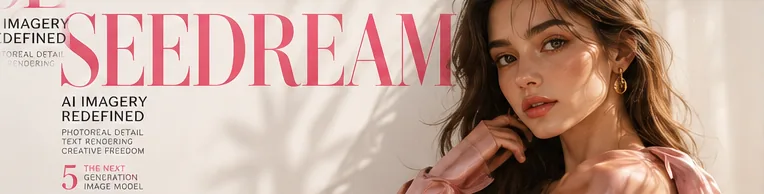
Seedream 5 is tuned for lifelike skin, lighting and materials — and unlike many models it renders legible words, so posters, ads and product labels actually read correctly.
Yours, privately
Your prompts and images are used to create your result and nothing else — never sold, never turned into public training data. Download and go.
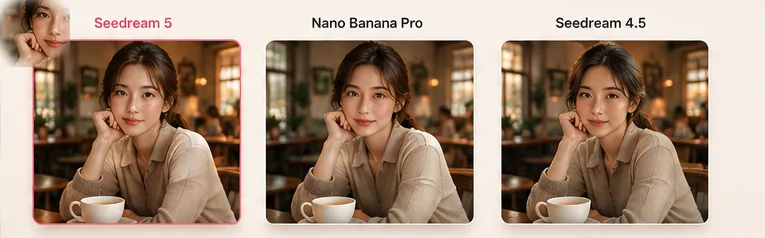
Seedream 5 vs Nano Banana Pro vs Seedream 4.5
How does it stack up? Here is an honest, at-a-glance comparison against Nano Banana Pro and the previous Seedream 4.5 — all three are selectable in the generator above so you can judge for yourself.
| Seedream 5.0 Lite | Nano Banana Pro | Seedream 4.5 | |
|---|---|---|---|
| Best for | Photoreal + text, fast | Maximum detail | Proven all-rounder |
| Typical speed | Fast (~18s) | Standard | Fast |
| In-image text | Strong | Strong | Good |
| Credits / image | 15 | 45 | — |
| On this page | Yes — default | Yes | Compare below |
Seedream 4.5 remains a strong, widely used model; the new release builds on it. Pick the latest for top quality, or switch models in the tool to compare the same prompt.
What Can You Make with Seedream 5?
One prompt, a lot of directions — here are three favorites.
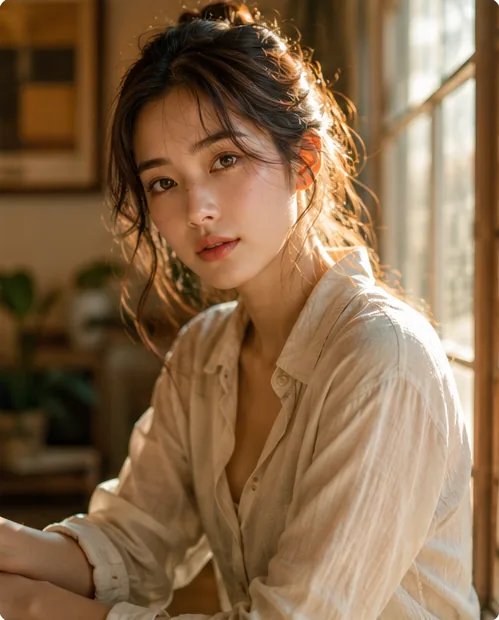
Photoreal portraits
Generate magazine-grade portraits and characters with natural skin and lighting. Faces stay consistent and believable from a single prompt.
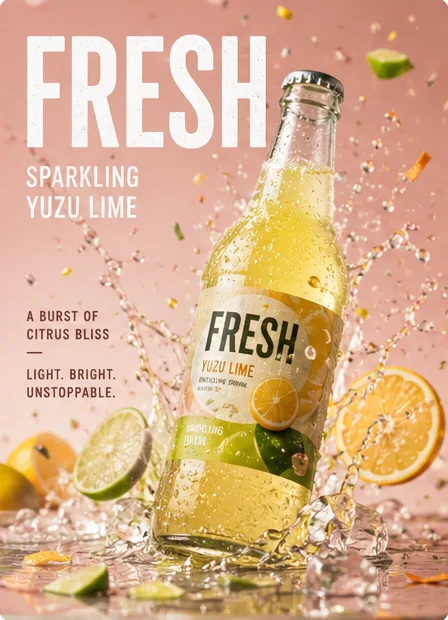
Posters & product shots with text
Because the model renders legible type, you can make ad posters, product packaging and thumbnails with real headlines — not garbled letters.
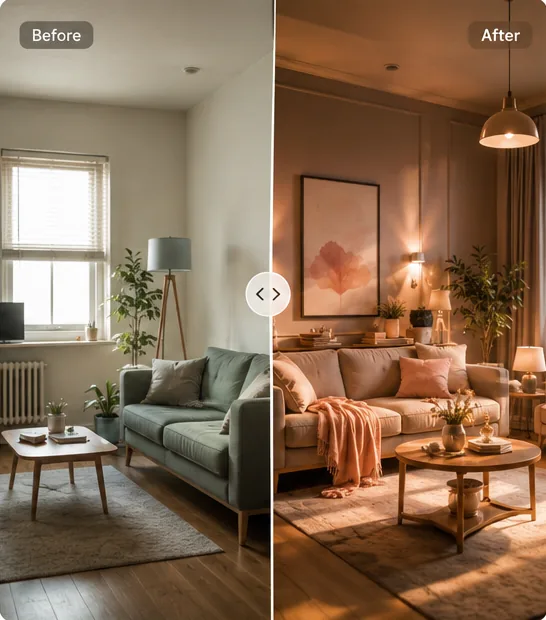
Edit & restyle a photo
Switch to Edit mode, upload an image, and restyle or transform it — turn a plain room photo into a warm, cinematic version in one step.
How to Use Seedream 5 in 3 Simple Steps
No account needed to explore — three steps to your first image.
 1
1Write your prompt
Describe the image you want — or tap a popular prompt to fill the box. To edit a photo, switch to Edit mode and upload it first.
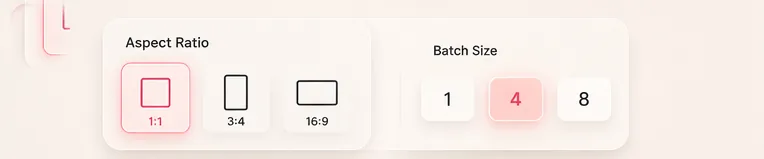 2
2Pick size & how many
Choose an aspect ratio for your platform and how many images to generate. The 5.0 Lite model is pre-selected, or switch to another to compare.
 3
3Generate & download
Hit Generate and your images render in about 18 seconds. Preview them, then download in PNG, WebP or JPEG.

Seedream 5 Release Date & What’s New
Wondering about the Seedream 5 release date? It is the latest step in ByteDance’s Seedream roadmap, following 4.0 and 4.5. The 5.0 Lite and 5.0 Pro tiers are available to try on this page today, with model options kept current as KIE updates availability.
Rather than guess at launch dates, this page stays tied to the live generator above. If you searched for the official website, a preview, or “when will Seedream 5 launch”, the fastest way to see what it can do is to run a prompt yourself.
Seedream 5 Pricing & Free Credits
The generator is free to try: new accounts start with free credits, so your first images cost nothing. After that, rendering uses credits — the 5.0 Lite model is 15 credits per image and the 5.0 Pro model is 35 credits per image before account-level discounts.
There is no subscription required to test it, and no watermark on your downloads. When you need more, top up on the pricing page — the same credits work across every image and video tool on Imya.
- Seedream 5.0 Lite — 15 credits / image
- Seedream 5.0 Pro — 35 credits / image
- Free signup credits to start
- No watermark · no subscription required

Turn your next idea into an image
Type a prompt, pick a size, and let the free 5.0 Lite generator do the rest. Your first images are on us.
- Free to start
- Photoreal + text
- PNG · WebP · JPEG
Frequently Asked Questions About Seedream 5
Everything about trying the free online 5.0 Lite image generator.
What is Seedream 5 (Seedream 5.0)?
It is the newest text-to-image model in ByteDance’s Seedream family, the successor to 4.5. It turns a text prompt into a finished image with a focus on photoreal detail and legible in-image text. On this page you can use the 5.0 Lite tier free in your browser.
Is Seedream 5 free? Can I try it free online?
Yes — you can explore prompts and sample outputs for free, and new accounts get free credits so your first images cost nothing. Rendering after that uses credits (the Lite tier is 15 per image), with no subscription required and no watermark.
What is the difference between Seedream 5 Lite and Seedream 5 Pro?
Lite is the fast, affordable tier tuned for quick photoreal images and accurate text. Pro is the higher-detail tier for sharper 2K output and more demanding commercial work. Both are available in the generator above.
When is the Seedream 5 release date? When will Seedream 5 launch?
It is the latest release in the line after 4.5, and both the 5.0 Lite and 5.0 Pro options are available to use on this page today. Exact upstream availability can change, so the live model options above are the source of truth.
Seedream 5 vs Nano Banana Pro — which is better?
Both are excellent. Lite is fast and strong at photoreal images with legible text at a lower credit cost; Nano Banana Pro leans toward maximum detail. The generator above lets you run the same prompt through each and compare the results directly.
Seedream 5 vs Seedream 4.5 — what changed?
The new release builds on 4.5 with sharper photoreal detail, more reliable in-image text and faster renders. Seedream 4.5 is still a strong, widely used model; reach for the newer one when you want the latest quality.
Is there a Seedream 5 API?
You can use the 5.0 Lite model right here on Imya with no API key or setup — just type a prompt and generate. For developers, Seedream models are also distributed through third-party AI platforms, but this page is the fastest way to try it free in the browser.
Can Seedream 5 edit an existing photo?
Yes. Switch the generator to Edit mode, upload one image, and describe the change — it will restyle or transform it (image-to-image). It is great for turning a plain photo into a cinematic, redesigned or restyled version.
What kind of images can it create?
Photoreal portraits, posters and product shots with real typography, social thumbnails, anime art and 3D characters. It follows a standard safety filter, so it will not generate explicit or harmful content.
Related AI Image Tools
More ways to create with AI on Imya.