The image defines the starting frame
A clear source gives the model a stable subject and composition. A motion prompt should direct movement, not repair a confusing image.
 imya
imyaTurn one image into motion: describe the subject or camera movement and see the exact credit estimate before continuing to the Imya workspace.
1 image
JPG, PNG or WebP
1–15 sec
Choose every second
480p / 720p
Two output tiers
6 ratios
Auto, square and portrait included
ONE STILL, ONE SHORT VIDEO
Grok Imagine Video 1.5 is an image-to-video model available in the Imya video workspace. It begins with one still: the image supplies the subject, composition and first frame, while your prompt directs movement and camera behavior.
Use it when you already have a portrait, product photo, illustration or composed scene to animate. Imya currently exposes one image, one motion prompt, six ratios, 1–15 seconds and 480p or 720p. This page does not show text-to-video, 1080p or a separate audio switch because those options are not in the current Imya workflow.
A clear source gives the model a stable subject and composition. A motion prompt should direct movement, not repair a confusing image.
Describe subject action, environmental motion, one camera move and pace. The field allows 4,096 characters, but precise direction is easier to control.
Choose Auto, 1:1, 16:9, 9:16, 3:2 or 2:3, then duration and resolution. Credits update before task creation.
CHOOSE A STRONG START FRAME
The model must infer depth and hidden surfaces from one picture. Give it a readable subject and enough room for the intended motion.
Make the main person, product or illustration easy to identify. Overlapping faces or similar objects leave the prompt ambiguous.
Try: one subject with clean edges and visible features.
Do not crop the subject against the edge it should move toward. Negative space gives the motion somewhere to go.
Try: frame slightly wider than the final close-up.
Match landscape images to 16:9, vertical images to 9:16 and square images to 1:1. Large ratio changes force reframing.
Try: Auto when preserving the source composition matters most.
Blurred hands, repeated objects and broken reflections become harder across frames. Start with a sharp, intentional still.
Try: even lighting, stable anatomy and a simple background.
THREE PRACTICAL WORKFLOWS
Each workflow uses a prepared still, one visible action and one restrained camera instruction. Adapt the structure; the examples are not guaranteed outputs.
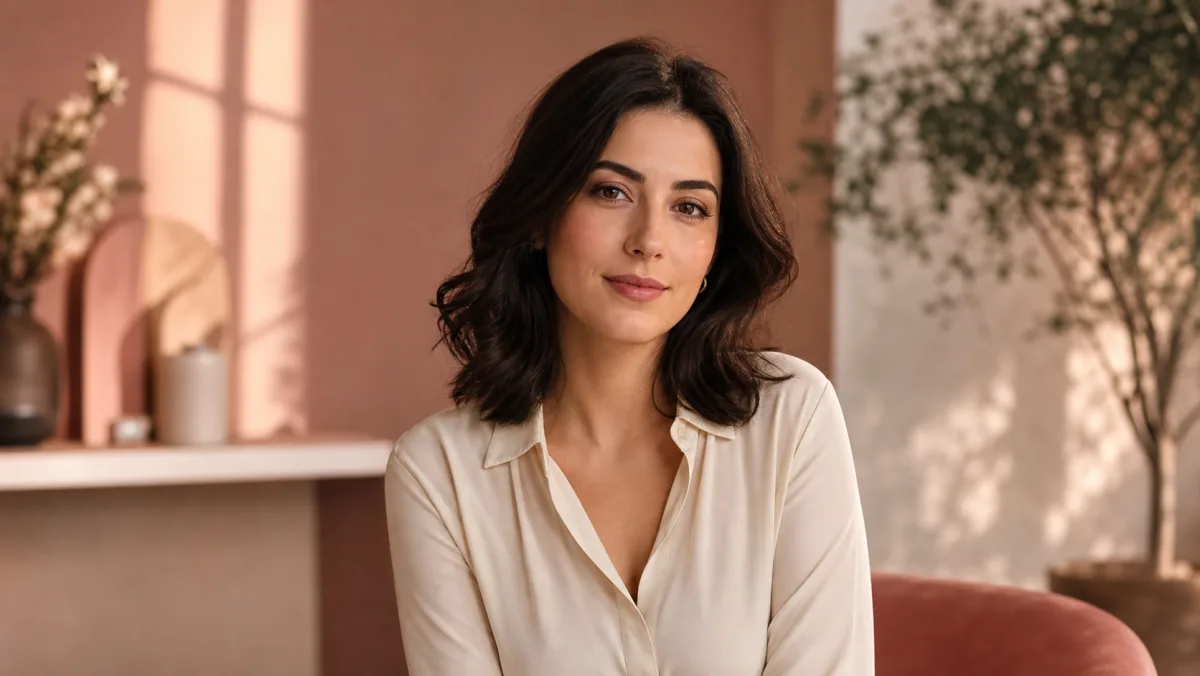 Example starting image
Use a sharp waist-up or close portrait with room around the hair and shoulders. Ask for one action—a blink, head turn or breeze—plus a slow push. Test four seconds in the source ratio before increasing motion.
“She smiles and blinks once; a gentle breeze moves her hair while the camera slowly pushes closer. Keep her face, clothing and background stable.”
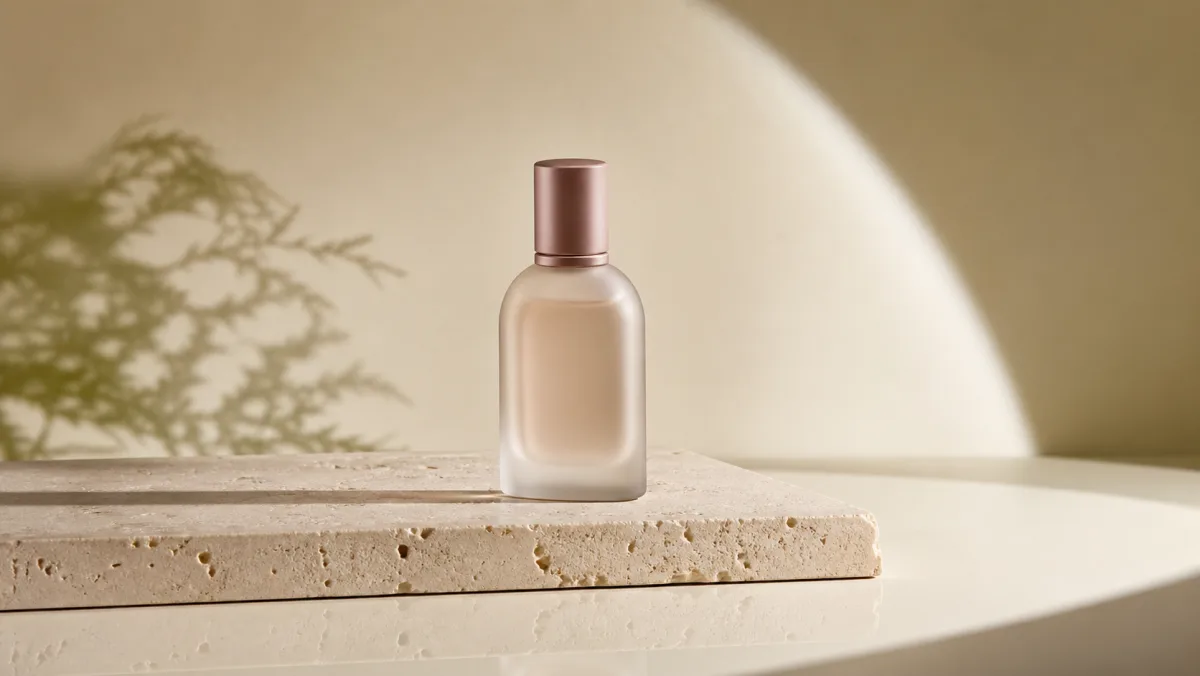 Example starting image
Use a clean product shot with visible edges and space around it. Pair one event—a light sweep, small rotation or condensation—with a measured orbit. Check label and shape stability in a short draft first.
“Warm light travels across the centered bottle as the camera makes a slow quarter-orbit. Keep reflections natural, the label readable and the background still.”
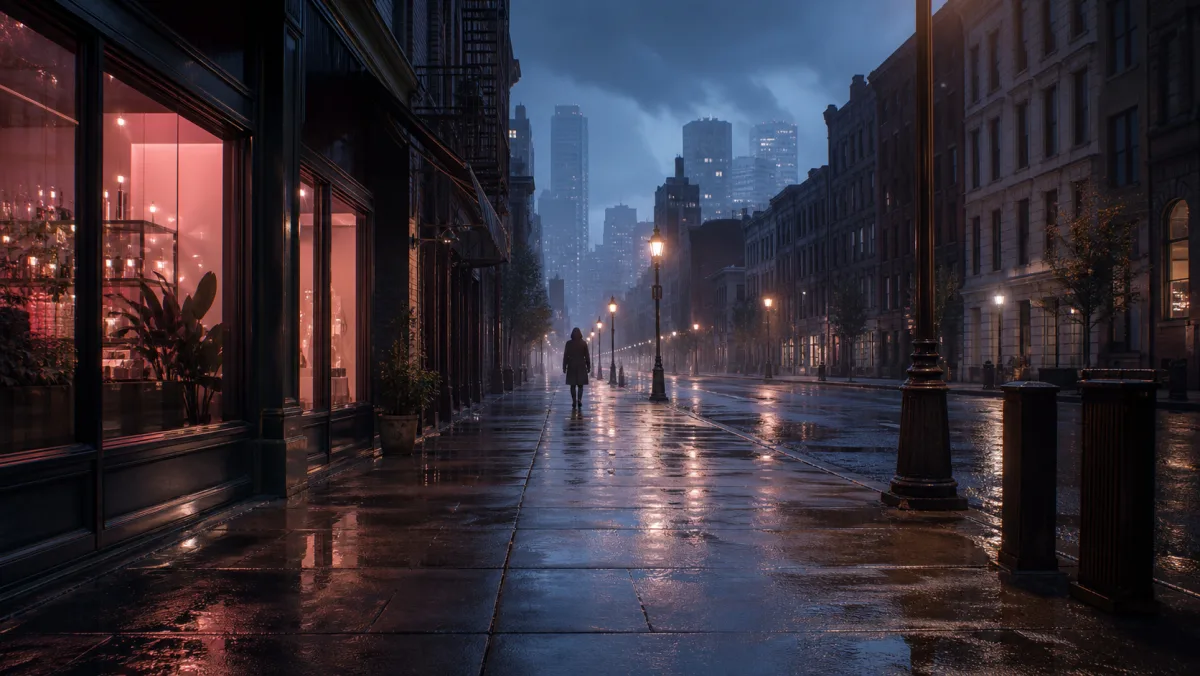 Example starting image
Choose art with clear foreground, middle and background layers. Animate rain, mist or distant lights, then use one tracking, pan or crane move. If composition drifts, reduce camera movement instead of adding instructions.
“Fine rain crosses the foreground and signs shimmer on the wet street; the camera tracks forward at walking pace. The distant figure takes two steps, no cuts or sudden zoom.”
GROK IMAGE-TO-VIDEO PROMPTS
A useful prompt says what changes after the first frame. Build it in four parts, then remove competing instructions.
Subject action + environmental motion + camera move + pacing and constraints
Name a visible, scaled action: looks toward camera, raises one hand, turns a quarter turn or walks two steps. This is clearer than dynamic or cinematic.
Add one plausible supporting movement: fabric in wind, rising steam, traveling light or foreground rain. It should reinforce the subject.
Choose one move—push, pull, pan, track, orbit or locked. A simultaneous orbit, zoom and shake can create conflicting geometry.
Finish with pace and continuity: slow, real-time, no cuts, stable background, preserved product shape or recognizable face.
Complete prompt example
“The cyclist looks over her shoulder and starts moving forward; her jacket and the roadside grass respond to a light wind. The camera tracks beside her at the same speed, steady real-time movement, no cuts, keep the bicycle frame and facial features consistent.”
The prompt assigns one subject action, environmental cue, lateral camera move and two continuity constraints—without inventing another location or shot.
HOW IT WORKS
Pick one JPG, PNG or WebP up to 20 MB. While you prepare the draft before signing in, the file remains in this browser on this device and is not uploaded.
Write what moves, how the camera moves and how fast the moment unfolds. Then choose aspect ratio, any whole-second duration from 1 to 15 and either 480p or 720p.
Imya saves the draft locally, asks you to sign in if needed, restores the image and settings in the App, checks the current server quote and submits the generation once.
REAL LIMITS & CREDITS
The Grok AI video generator on this page uses the same model key and pricing logic as the Imya workspace. Change duration or resolution and the estimate updates before the task is created. No unavailable text-to-video mode, 1080p option or audio switch is presented.
Input
Exactly 1 image
Formats
JPG, PNG, WebP
Imya upload limit
20 MB
Prompt
Up to 4,096 characters
Duration
1–15 seconds
Resolution
480p or 720p
At regular account pricing, a 4-second generation currently costs 20 credits at 480p or 40 credits at 720p. Cost scales with duration and resolution. The composer applies an eligible membership discount automatically, so a qualifying account may see a lower total than the public regular rate.
CHOOSE BY WORKFLOW
This is a comparison of the controls currently exposed in Imya, not a claim that one model wins every creative test. The best choice depends on the media you already have and the amount of control the shot needs.
Input on Imya
One start image
Controls on Imya
1–15s, 480p/720p, six ratio choices
Choose it when
You have a finished frame and want a direct, focused image-to-video draft.
Input on Imya
Text or image; optional end frame in image mode
Controls on Imya
Broader production modes and higher output tiers
Choose it when
You need text-to-video, a defined ending frame or more production controls.
Input on Imya
Text, image or multiple references
Controls on Imya
Standard/Fast options and reference-led workflows
Choose it when
You need to guide the result with several reference assets or start from text.
Run a short, lower-resolution draft before an expensive comparison. Use the same source frame and motion idea, but adapt the prompt to the controls each model actually exposes.
FIX THE DRAFT
When a result drifts, simplify one variable at a time. Reusing the same prompt while changing the source image, duration, ratio and camera move together makes it difficult to learn what helped.
The source is soft, partially hidden or the prompt asks for a large turn that reveals unseen detail.
Use a sharper source, reduce the turn, shorten the clip and explicitly preserve the face, label or product shape.
Several subject actions, environmental effects and camera moves compete in a short duration.
Keep one subject action and one camera move. Remove style words until the physical movement reads clearly.
The selected aspect ratio differs greatly from the uploaded image, leaving the model to invent a new composition.
Try Auto or pre-crop the source to the final ratio. Leave room around the subject before generating again.
The prompt describes mood and appearance but does not name an observable action or camera direction.
Replace vague words with verbs and distance: takes two steps, turns slowly, camera pushes in, or light moves left to right.
PRIVACY & RETENTION
You can prepare the start image, prompt and settings before signing in. During that preparation, the image remains in this browser on this device. Clicking Generate saves a short-lived local draft; after sign-in, Imya uploads the media to provide the requested generation through Imya and contracted AI processing providers.
Read the full Imya Privacy PolicyRead the official xAI model documentationThe selected image is not uploaded. Clearing the draft or browser storage removes the local preparation data from that device.
Generated results follow Imya history retention: 7 days for free accounts and up to 30 days for active paid or Lifetime members. A signed-in user can delete a current result sooner.
Imya is an independent interface; Grok is an xAI model. Imya does not claim official partnership or certification, sell your files or use them to train Imya-owned models. Contracted providers process media under their own terms.
QUESTIONS, ANSWERED
No. Grok Imagine Video 1.5 requires exactly one start image. For text-to-video on Imya, compare Kling 3.0 or Seedance 2.0.
Use one JPG, PNG or WebP no larger than 20 MB. A sharp frame with one clear subject and room for movement is easier to control than a busy collage or blurred image.
Imya currently offers any whole-second duration from 1 through 15 seconds at 480p or 720p. Start with a short 480p draft, then increase settings after the motion looks right.
A result may include model-produced audio, but Imya has no separate audio switch and cannot guarantee exact dialogue, music or effects. Review the clip and finish precise sound separately.
No. Prepare the image, prompt and settings first; the image stays in this browser until you click Generate. After sign-in, the Imya App restores the saved draft.
Imya saves a short-lived local draft, opens the image-to-video workspace, restores every setting, confirms the current credit requirement and submits once. An insufficient balance should stop the task before creation.
Describe the subject action, one environmental movement, one camera move and the pace or continuity constraints. Avoid stacking several camera moves into one short clip.
Use Auto to preserve the source composition, 16:9 for landscape, 9:16 for vertical feeds and 1:1 for square posts. Pre-cropping near the final ratio reduces invented edge content.
Cost depends on duration, resolution and account discount. The current regular four-second price is 20 credits at 480p or 40 at 720p. The live server-confirmed amount is final.
Preparation is free, but generation uses the displayed credits. Available signup or check-in credits may cover a short draft; this is not an unlimited-free promise.
Not from this page. The current workflow accepts one still, not a finished video. You can reuse a final frame as a new start image, but continuity is not guaranteed.
Results stay 7 days for free accounts and up to 30 days for active paid or Lifetime members. Signed-in users can delete earlier; provider terms are in the Privacy Policy.
Large turns, long clips and hidden details require more guessing. Try a sharper image, shorter duration, smaller action and a constraint that preserves the face, clothing or product shape.
OTHER VIDEO MODELS
Return to the same composer, keep the settings you chose and continue when the draft is ready.
Prepare a Grok video