
GPT Image 2.6 Generator
Type a prompt or add a photo. Get a still picture or a looping GIF, with no API key.
GPT Image 2.6 is the model behind ChatGPT Images 2.6. Pick Flare for speed or Sunburst for detail, choose a size, and see the credit cost before you generate.
Choose GPT Image 2.6 Flare, Sunburst, or the low-credit Economy model. GIF output, on paid plans, works without references, and Economy is 1K only.
GPT Image 2.6 examples you can try
Each GPT Image 2.6 example below is a prompt you can load into the tool with one click. Change the subject, colors, or format to fit your own brief.
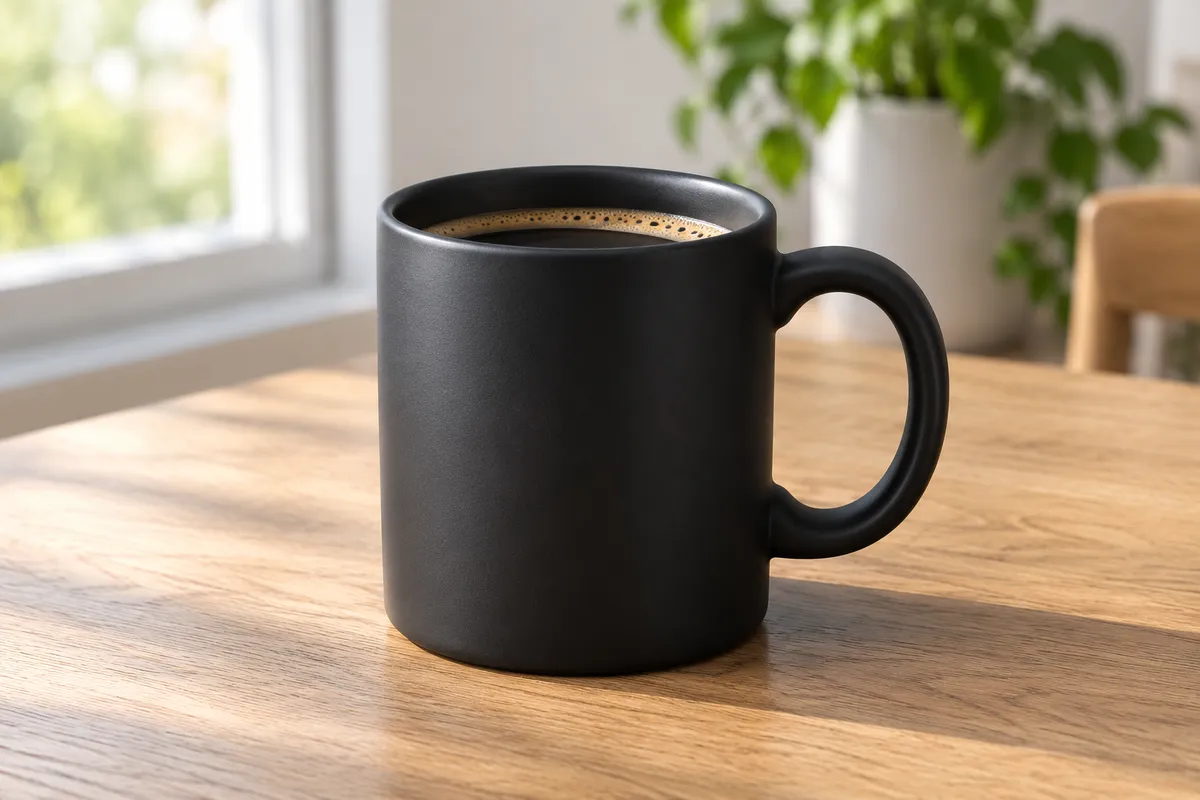
Product photo for a store listing
GPT Image 2.6 does well with a clear material, one light source, and a plain backdrop. Name the product first, then the surface and the light.

Poster with short, exact text
Put the exact words in quotation marks and keep them short. With GPT Image 2.6, a high complexity setting helps dense layouts, but always check spelling.

Looping GIF of a mascot
GIF output is the headline feature of GPT Image 2.6. Describe one simple motion that can loop, such as a wave, a blink, or a bounce.
What is ChatGPT Images 2.6?
ChatGPT Images 2.6 is the visual update OpenAI released on November 4, 2026. In ChatGPT it adds animated GIFs and saved references, so you do not have to upload the same character or product every time. In the API, the same update ships as two models: GPT Image 2.6 Flare and GPT Image 2.6 Sunburst.
ChatGPT Images 2.6 is the product you use in the ChatGPT app, and GPT Image 2.6 is the model family developers call. This page gives you GPT Image 2.6 through a simple web tool, so you can work with both models without writing code or managing API keys.
What’s new in GPT Image 2.6
GPT Image 2.6 GIF generation
GPT Image 2.6 can return an animated GIF instead of a single still. OpenAI’s API allows up to 64 frames; on imya.ai a GIF has 2 to 16 frames of 512×512 pixels, and the default is 9 frames at 200 ms each, about 1.8 seconds. GIF output works for text prompts only; you cannot upload a GIF and edit it.
Good GIF prompts describe one loopable action and a simple background. Mascots, reaction memes, loading animations, and short storyboards are the use cases OpenAI highlights for GPT Image 2.6.
GPT Image 2.6 references and focused edits
Add up to 16 reference photos to guide GPT Image 2.6. It is designed to keep a product, character, or brand look more consistent across edits. State what should change and what should stay the same.
ChatGPT Images 2.6 can also keep references between requests. In this tool you add references per request, and they stay in your draft if you sign in midway.
Faster output and a complexity setting
OpenAI says GPT Image 2.6 is about 50% faster than the previous version, and Flare can return a result in as little as six seconds at low quality. Complex prompts can still take up to two minutes.
GPT Image 2.6 adds a complexity setting with low, medium, and high levels. Higher complexity plans the scene more carefully, which helps busy layouts and text, but it can add time and unwanted changes.
How to use GPT Image 2.6 online
Describe the picture or GIF
Write what you need: the subject, setting, style, and use. Choose a still or a GIF as the output.
Add a reference if you need one
Upload JPG, PNG, or WebP files when an existing product or face matters. References switch GPT Image 2.6 to edit mode, which returns a still, not a GIF.
Pick a model, size, and ratio
Start with GPT Image 2.6 Flare for quick drafts and move to Sunburst for final work. Choose 1K, 2K, or 4K and an aspect ratio. The credit cost updates before you submit.
Generate and refine your GPT Image 2.6 result
Your request continues in your imya workspace. Check the full result, then change one part of the prompt at a time so you can see what each instruction does.
GPT Image 2.6 vs GPT Image 2.5
GPT Image 2.6 keeps the Flare and Sunburst names from 2.5 and adds new formats. OpenAI lists the same token rates for GPT Image 2.6 and its predecessor, but the cost of one finished result can still differ.
| Feature | GPT Image 2.5 | GPT Image 2.6 |
|---|---|---|
| Models | Flare and Sunburst | Flare and Sunburst |
| Animated GIF | No | Yes, text prompts only |
| SVG output | No | Yes, text prompts only |
| Complexity setting | No | Low, medium, high |
| Speed | Baseline | About 50% faster, per OpenAI |
| References | Up to 16 | Up to 16 |
GPT Image 2.6 Flare vs Sunburst
GPT Image 2.6 Flare is the faster model. Use it for drafts, social posts, GIFs, and testing ideas. GPT Image 2.6 Sunburst aims for higher quality and better consistency across edits, which suits product shots, portraits, and final assets.
Not sure which to pick? Start with GPT Image 2.6 Flare. If the result needs more detail or keeps drifting between edits, run the same prompt with Sunburst. In early Arena voting on November 4, Sunburst ranked second for generation from text, and Flare ranked fourth; those scores are preliminary.
GPT Image 2.6 Economy is the low-credit option: 1K only, eight aspect ratios, and PNG or GIF output. It suits quick drafts and simple GIFs.
GPT Image 2.6 sizes, formats, and limits
GPT Image 2.6 offers 1K, 2K, and 4K output and aspect ratios from 1:3 to 3:1, including 1:1, 16:9, 9:16, 4:5, and 21:9. Edits return PNG, JPEG, or WebP. Text prompts can also return GIF or SVG, and a transparent background works with PNG or WebP.
Each reference file can be up to 30 MB, with up to 16 references per request. OpenAI notes that GPT Image 2.6 can still struggle with exact text placement, recurring characters, and precise layouts, so review every result.
GPT Image 2.6 API and pricing
The GPT Image 2.6 API uses the model IDs gpt-image-2.6-flare and gpt-image-2.6-sunburst. OpenAI charges by tokens: $8 per million visual input tokens and $30 per million visual output tokens, the same rates as GPT Image 2.5. Token pricing means there is no fixed price per picture.
On imya.ai you pay with credits instead of tokens. The tool shows the credits for your chosen model, size, and format before you generate, and membership discounts follow your plan. You do not need an OpenAI account or API key to use GPT Image 2.6 here.
GPT Image 2.6 FAQ
What is GPT Image 2.6?
GPT Image 2.6 is OpenAI’s visual model family released on November 4, 2026, with two models: Flare for speed and Sunburst for quality. It powers ChatGPT Images 2.6 and adds GIF and SVG output.
Is GPT Image 2.6 the same as ChatGPT Images 2.6?
They are the same update in two places. ChatGPT Images 2.6 is the feature inside ChatGPT. GPT Image 2.6 is the model family that developers and tools like imya.ai use.
Can GPT Image 2.6 make GIFs?
Yes. GPT Image 2.6 can create looping, silent GIFs from a text prompt. On imya.ai, GIF output is part of paid plans. GIF output is not available when you add references, and you cannot upload a GIF to edit it.
Is GPT Image 2.6 free?
The OpenAI API is paid. On imya.ai, new accounts get signup credits that can be used under the current account rules. Check your balance and the cost shown before each GPT Image 2.6 request; there is no unlimited free plan.
Should I use Flare or Sunburst?
Use GPT Image 2.6 Flare for fast drafts and GIFs. Use Sunburst when detail and consistency across edits matter. Compare both on the same prompt before you decide.
What sizes does GPT Image 2.6 support?
This tool offers 1K, 2K, and 4K output with aspect ratios from 1:3 to 3:1. Transparent backgrounds need PNG or WebP, and GIF frames are 512×512. Larger sizes cost more credits.
Does GPT Image 2.6 keep a face or product the same?
It is designed for better consistency, but it is not guaranteed. Name the details to keep, such as the logo, shape, or hairstyle, and check each result closely.
Can I use GPT Image 2.6 results commercially?
Check the provider terms and make sure you have rights to any reference you upload. Review each result before you use it in ads or products.
Make your first GPT Image 2.6 picture
Bring a short idea or one reference photo. You will see the model and the credit cost before anything is generated.
Back to the GPT Image 2.6 toolimya.ai is an independent product, not affiliated with or endorsed by OpenAI. GPT and ChatGPT are OpenAI trademarks.