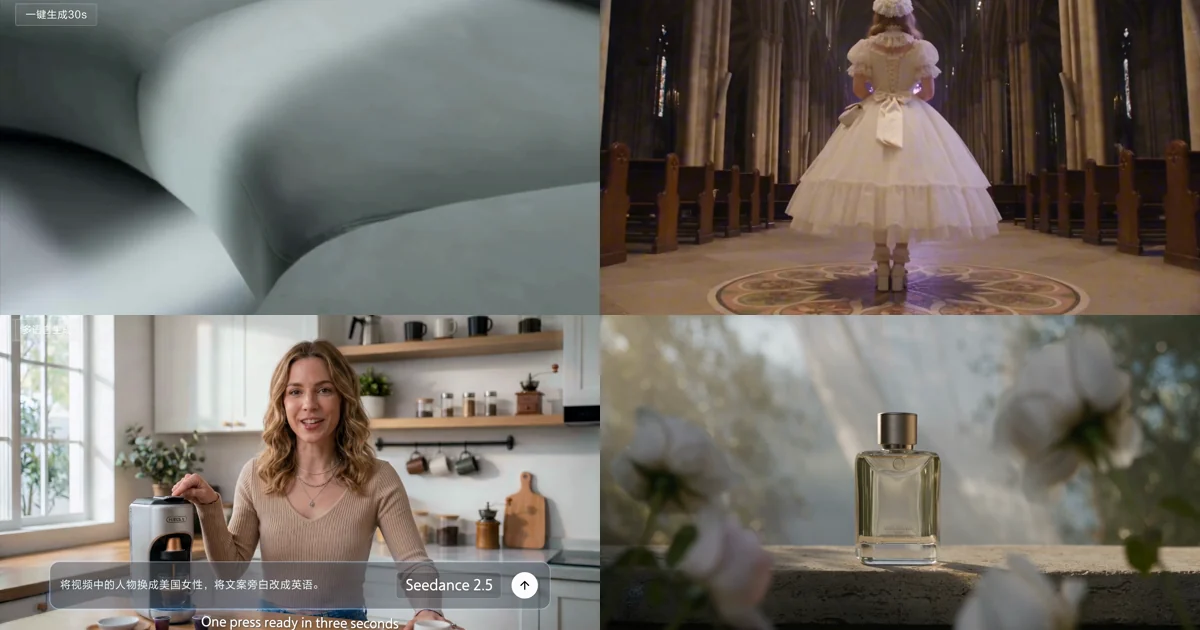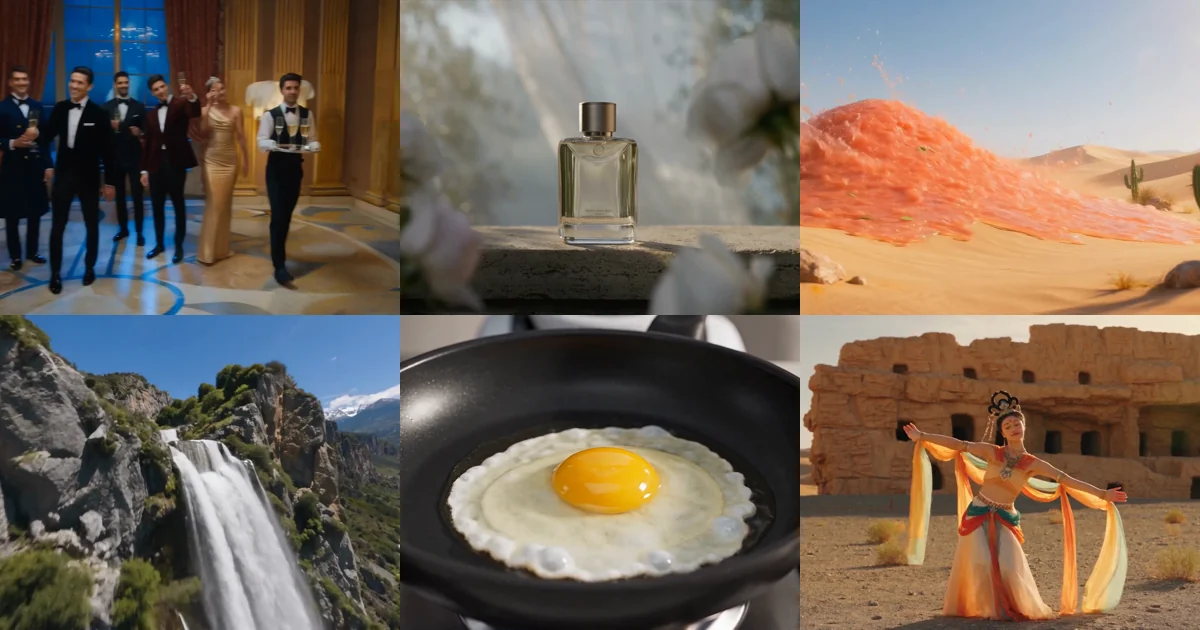
51 Seedance 2.5 Prompts From ByteDance's Own Playbook
51 complete production prompts pulled from ByteDance's Seedance 2.5 practice guide, grouped by scenario, each paired with the official clip it produced.
I have read a lot of "AI video prompt guides." Almost all of them are the same six adjectives rearranged: cinematic, 8K, hyperrealistic, masterpiece.
That is not how people who actually ship video write prompts.
I pulled 51 complete prompts out of ByteDance's Seedance 2.5 practice guide — the ones their own team used to produce the official demo reel. They are long. Some run 600 words. One of them specifies the exact instant a black-and-white shot snaps to colour.
This is what production prompts look like, and it is nothing like what you have been copying off social media.
What you get here: five minutes on the official prompt formula and its four special symbols, then 51 complete prompts grouped by scenario, each paired with the clip it actually produced.
1. Learn the formula first, or copying is pointless
Copying someone else's prompt usually underdelivers, because you do not know which part is doing the work — so you do not know what to change.
The official base formula:
Subject + action or event + scene and environment (optional) + visual style (optional) + camera movement (optional) + sound (optional)
What each part carries:
- Subject + action — who or what is doing what. This is the foundation. Summarise the main process first, add detail only for the key beat, and never describe the same movement twice.
- Scene and environment — place, time, weather, spatial relationships, background state.
- Visual style — light, colour, material, texture, overall mood.
- Camera — shot size, position, movement, focus target, how cuts connect.
- Sound — dialogue, timbre, ambience, effects, music.
As a template:
<subject> performs <main action> in <scene and environment>.
The image reads as <visual style>.
The camera uses <shot size, position, movement or cuts>.
Sound includes <dialogue, ambience, effects or music>.
Filled in:
A ceramicist finishes a pale blue cup in her studio at dawn, lifts it off the wheel
and sets it in the centre of a wooden rack.
Soft morning light enters through the window, wet clay carries a fine sheen,
the workbench stays tidy.
The camera records the throwing in a medium shot, pushes slowly into the surface
texture of the cup, then cuts to the front of the rack.
Keep the low rumble of the wheel, the friction of clay, and light room tone.
Drop any part you do not need. Generation parameters like resolution and duration do not belong in the prompt — set those in the interface or the API call.
With references, spell out what each one provides
This is the single biggest gap between beginners and people who get consistent results.
Once you upload material, you have to state what each piece provides. When a reference contains people, backgrounds or composition that could bleed into the output, also state what not to take.
The rule that matters most: the mapping must live in the prompt text. Do not rely on labels burned into the images, and do not expect the model to work out which photo belongs to which character.
@image1 provides <subject>'s <appearance, clothing, structure or material>.
@video1 provides <action, camera movement or pacing>.
@audio1 provides <character or sound type>'s <timbre, dialogue, ambience or music>.

<subject> performs <main action> in <scene>.
The image reads as <visual style>; the camera uses <treatment>.
In practice — note the "do not take" clause after each line:
@image1 provides the ceramicist's facial features, hairstyle and dark green apron.
  Do not take the background of the image.
@image2 provides the studio's wooden bench, window position and morning light.
  Do not take the person in the image.
@video1 provides the rhythm of throwing, lifting and placing the cup.
  Do not take the identity, clothing or setting from the video.

The ceramicist finishes a pale blue cup in the studio at dawn and sets it in
the centre of a wooden rack.
Medium shot on the throwing, slow push into the surface texture, then a cut to
the rack. Keep the wheel, the clay friction and light room tone.
If several images are different views of the same object, say so explicitly, or the model may render several of them:
@image1 defines the front of one folding desk lamp.
@image2 defines the left-side structure of the same folding desk lamp.
@image3 defines the right-side structure of the same folding desk lamp.
@image4 defines the back of the same folding desk lamp.
All four images define a single folding desk lamp; only one lamp appears in the video.
One more that gets missed: when a reference video already carries the action, camera and sequence accurately, the prompt only needs to say what to inherit — do not re-describe every movement. Redundant description can fight the reference itself.
The four special symbols
When you need to separate music, effects, dialogue and subtitles precisely:
| Layer | Symbol | Example |
|---|---|---|
| Music | () | (calm piano plays underneath) |
| Sound effect | <> | <a distant bell> |
| Dialogue | {} | {Hello, welcome back} |
| Subtitle | 【】 | 【Chapter One: Departure】 |
To control audio, simply name what to keep and what to drop:
No background music. Keep only dialogue, ambience and action sound effects.
No subtitles.
No sound at all.
For non-native dialogue, state the language before the line:
The girl says softly, in Japanese: {もう大丈夫です}If the model renders English lines in the wrong language, or you need a regional accent, use this formula:
Dialogue language + regional variant or accent + delivery + speaker + {the line}
Dialogue language: American English. The girl says, in natural conversational
American English: {I thought you weren't coming.}

Dialogue language: authentic Los Angeles American English. A young man says,
in casual LA speech: {No way, you actually made it.}
2. The 51 official prompts
Everything below is verbatim from the manual. Each one is paired with the clip it produced.
Film and narrative
1. Wordless narrative · 30 seconds in one run
Writing a letter, stepping outside, crossing a sunflower field, posting it — the camera moves continuously between a shallow-focus interior, a doorway light transition and a golden valley wide, and the tone holds from start to finish.
A 30-second wordless visual story with the quiet elegance of the French
countryside, set on a summer afternoon in Provence. A young woman in a
cream linen dress finishes a handwritten letter at an old wooden table
inside a stone cottage, then walks outside, follows a gravel path through
a sunflower field, and reaches a vintage yellow postbox at the edge of the
village, gently slipping the letter inside. The camera opens on a
shallow-focus close-up of the tabletop indoors, moves through the doorway —
light gradually giving way to shadow — and finally rises and pulls back to
reveal a wide panorama of the golden valley. Only ambient sound throughout:
cicadas, wind, the scratch of pen on paper, and the soft click of the
postbox closing — like the long silence that settles after sending a letter
somewhere far away.Why it works: not one empty word like "cinematic" or "high quality." It breaks 30 seconds into four executable beats (write → leave → cross the field → post) and names where the camera starts and ends. The sound line is its own sentence, listing only ambience that genuinely exists in the scene.
2. Concept film · 30 seconds + full-modality reference
Dream-like scenes chained inside a single 30-second run, with the mood, light and narrative register holding throughout.
Cinematic brand concept short. @image1 as the first frame, the picture trembles
slightly, the camera pushes in gradually, arriving at tree shadows racing
backwards outside the window, faster and faster, then suddenly cuts to @image2,
speed drops abruptly, the camera moves slowly along a stream, birdsong and
flowers.
The camera drops underwater, bubble sounds in the audio, a group of orange
jellyfish drift elegantly past the lens @image3, the camera pulls back slowly,
a school of small fish crosses the frame and passes from the water into the
window @image4, a girl looks left and right, watching them.
The camera pulls back slowly, focus softens, then re-focuses and sharpens,
cutting on the music: a Chinese garden lattice window @image5 with light
turning through it, a stained-glass church window, an aircraft window, a domed
skylight, a bay window, a venetian blind, a European dormer, a door peephole,
a camera viewfinder, a bird's eye, a human eye in close-up.
The image holds on the human eye, then the eye closes, the screen goes black,
then the eye opens suddenly and "seedance" appears at its centre, accented.Why it works: the reference images are not dumped at the top — each one is placed at the moment it should appear. The model learns not just "use these images" but "use this one at this beat."
3. Multi-character ensemble · palace ballroom
Many performers plus environment references, held stable across a single continuous take.
30 seconds, 16:9, one continuous take, true cinematic realism, an ensemble
party shot in a European palace ballroom. Scene references @image8, @image13,
@image17; chandelier detail references @image15; champagne glasses reference
@image1 and @image10; the champagne tower references @image3 and @image6;
streamers reference @image19. Characters: M1 references @image2, M2 references
@image11, M3 references @image4, M4 references @image7, F1 references @image9,
F2 references @image5, M5 references @image16, F3 references @image18, M6
references @image12, F4 references @image14, M7 references @image20; remaining
background guests fill out the ensemble in the same black-tie register.

The shot opens on M2 carrying a tray. M2 holds the tray with both hands at
chest height, several champagne glasses on it. M1 reaches in from front left
with his right hand, takes a glass, raises it in front of his right shoulder,
faces the guests and says loudly: "Everyone, enjoy this party!" (timbre
references @audio1). As he speaks his right hand holds the glass up, his left
hand opens, his head tilts slightly back. He immediately laughs with his mouth
open, looking left, then right. The camera simultaneously pulls back into a
five-person group. M1 stands centre, right hand raised with the glass, left
hand open. M3 stands behind him to the left, glass raised to shoulder height,
looking at M1. M4 stands behind him to the right, glass in his left hand at
his chest, right fist punching upward once, looking at M1. F1 stands to M1's
left, clapping twice at her chest. F2 stands to his right, glass in her right
hand, left hand raised in a cheer. Background guests raise glasses, applaud
and turn towards M1.

After serving, M2 keeps carrying the tray level and walks from in front of the
opening group towards the right of frame. The camera tracks him right, the
foreground brushing past gown hems, hands holding glasses, shoulders and
profiles, while the background keeps the chandeliers, drapes, columns, dance
floor and champagne tower visible. M2 stops in front of a second group and
stands mid-foreground, tray in both hands.

The second group occupies the same frame and the same space. On the left, a
toasting pair. M5 stands opposite F3, takes a glass from M2's tray with his
right hand, raises it to his chest, looks at F3 and says: "Cheers to tonight."
(timbre references @audio2) F3 holds her own glass in her right hand, raises it
to touch his once, then draws it back to her chest. On the right, an invitation
to dance. M6 and F4 stand facing each other, both empty-handed. M6 looks at F4,
extends his right hand forward, palm up, and says: "May I have this dance?"
(timbre references @audio3) F4 pauses for a beat, then looks up at him, smiles,
and places her left hand in his. This single frame contains the toast on the
left, the invitation on the right, the server with his tray, and background
guests in motion.

After F4 accepts, M6 leads her by the hand towards the centre of the dance
floor, both still empty-handed. F4 lifts her skirt with her right hand to move.
The camera follows them onto the floor. The crowd at the edge responds: some
applaud, some raise glasses, some sway. At the centre, M6 takes F4's right hand
in his left, places his right hand at her back, and F4 rests her left hand near
his shoulder, entering the dance hold. M7 stands at the edge applauding; the
remaining guests clap, raise glasses and sway around the perimeter.

The camera then orbits M6 and F4 clockwise. M6 leads F4 through two figures:
first a half turn; then he raises his hand and she turns a full rotation in
place, her red skirt opening out. The crowd around the perimeter continues to
applaud, raise glasses and sway, and M1's opening group is still visible
cheering in the background. Streamers fall from directly above the dance floor
in this section, concentrated over the centre and over the two leads, sparse —
only a few thin streamers, falling vertically, not filling the hall. The camera
finishes still orbiting the dancers, keeping them centre frame against the
floor, the crowd, the chandeliers, the drapes and the last falling streamers.Why it works: the longest prompt in the set, and the most disciplined. Reference mapping first, then one paragraph per camera stage. Inside each paragraph every person's position, gesture and eyeline is pinned down. With this many characters, vagueness is the same thing as losing control.
4. Multi-character ensemble · wuxia
[0-3s] Close shot, the camera on @image1's hands plucking the strings of the
guqin @image2. On the left a bronze censer @image3 trails smoke. In the
background, the blurred figure of a man in white @image4 plays @image5. Sound
references @audio1. The setting is a small boat @image7 on water @image6, with
distant mountains referencing @image8.
[3-5s] The man in white @image4 stands at the bow / rises… a circular apparition,
a woman @image9 holding @image10 attacks. Sound references @audio2.
[5-10s] The man in white and the woman in red exchange blows fiercely above the
lake. Sound references @audio3. She carries a red umbrella, he a fan @image11.
The water below is thrown into enormous ring-shaped waves by their force, sound
references @audio4, like a storm of water; effects reference @video1.
[10-20s] The man in white pursues her into a bamboo forest @image12, using
lightness skill across the water…Why it works: timestamps are the other way to control a long take — better suited to action, where the pacing is measured in seconds anyway.
5. Street dance ensemble
Create a 30-second video with realistic cinematic texture, 16:9 aspect ratio,
documentary street photography style, warm and everyday lifelike atmosphere.
Street scene environment references @image1: late-afternoon street corner, red
brick buildings, pedestrian zebra crossings, storefronts along the road,
roadside vehicles and passersby, soft directional afternoon sunlight,
transparent natural color tones without heavy color grading filters.
Figures and outfits of the main dancers reference @image2; appearances of
pedestrian dancers reference @image3, @image4, @image5, @image6. All characters
have distinct natural facial features, no uniform performance costumes.
Smooth multi-angle handheld one-shot long take camera movement: high oblique
overhead shot, sidewalk tracking shot, shoulder close-up shot, low-angle shot
focusing on footwork.
Background music audio track references @audio1, upbeat rhythmic street pop
music that aligns perfectly with the dance beats.
Plot: A girl wearing an orange knit beanie and over-ear headphones crosses the
street, dancing gently alone to the music rhythm. Passersby are gradually drawn
to the groove and join the casual group dance with loose, natural movements.
There is motion blur on flowing hair and clothes, and background pedestrians
fill out the street crowd.
Restore the authentic textures of brick walls, asphalt roads, knit fabrics and
denim, delivering a lively and laid-back overall mood.
Avoid distorted human bodies, duplicate faces, neon night lighting, fantasy
special effects, stage performance aesthetic, watermarks and subtitles.Why it works: look at that final Avoid line. It names only the failures this specific scene is prone to — mangled bodies, duplicate faces, neon night lighting, stage-performance vibe — rather than a generic wall of banned words.
6. 3D previz from a white model
Professional 3D assets plus a material reference; structure and camera choreography carried over untouched.
Keep the camera movement, duration, composition, shot size, spatial
relationships, object positions, model structure and motion paths in @video1
unchanged. Use @image1 as the reference for material, lighting, colour and
overall atmosphere. Replace the white-model material in @video1 with realistic
material close to @image1, adding natural light and shadow, contact shadows,
ambient light, reflections, speculars and spatial depth, for an overall
cinematic render quality.Why it works: it locks down eight things in a single breath before saying what to change. That is the standard shape for white-model rendering — you want a material swap, not a regeneration.
7. Motion transfer · gorilla climbing
A real climbing clip as reference; the same movement, effort rhythm and body mechanics transferred to a gorilla.
Transfer the motion in @video1 to a gorilla climbing on a cliff, without
changing the camera rhythm or the movement.Why it works: one sentence. When the reference video already carries the movement, shorter is better — you only need to say what gets replaced and what stays.
8. Relighting an existing cut
Rewriting the lighting design of a whole cut while composition, cast and camera stay exactly as shot.
Change the light in @video1 from harsh overhead noon sun to sunset side light.9. Changing a performer's age and expression
Frame, camera and pacing unchanged; only the performer's age and micro-expressions edited, in one continuous take.
Keep the composition, camera position, lighting and performance rhythm of
@video1. Only rewrite the lead actress's appearance and expression: let her age
naturally from her twenties to sixty, the restraint in her eyes gradually
dissolving, a tear sliding past the corner of her eye, the corner of her mouth
lifting bit by bit, until she is laughing through tears. One continuous take
throughout, no jump cuts, no flicker, her features shifting with age without
drifting.Why it works: "no jump cuts, no flicker, without drifting" — three negatives that map exactly onto the three ways this edit usually fails. Your negative constraints should come from failures you have seen, not from a copied list.
10. Switching visual style
Composition and camera unchanged, several visual styles applied in sequence.
Keep the camera movement and pacing of @video1 and change the visual style in
turn to: black-and-white comic, Japanese anime, American hard-edged style,
and ink-wash animation.11. Extending short material · first pass
Extend @video1 by 5 seconds: a bee flies in and lands on the flower, then a
macro close-up of its legs and abdomen covered in golden pollen grains, the bee
beats its wings and takes off, the camera follows it to another flower of the
same kind, and in slow motion the pollen shakes loose from its fuzz and lands
precisely in the stigma — the moment of pollination, magnified.12. Extending short material · chaining
Extend @video2 by 5 seconds, with a time-lapse quality: the yellow petals wilt
slowly, the centre begins to swell, growing from a small green fruit through
colour change to a full, ripe pod. Morning dew clings to the pod's surface,
catching a soft highlight in the sun.

Extend @video3 by 5 seconds, time-lapse, day and night flickering past in the
background, the ripe fruit splitting open naturally, a seed sliding out and
falling, the camera following it through the air into damp soil @image1.Why it works: extension chains. Each pass uses the previous result as the new @video. A five-second seed grows past twenty seconds, and the model handles every join.
13. Rapid multi-scene cuts · one flower around the world
Live-action style, fast cuts, cinematic, 4K, 24fps, warm natural light, real
performances, natural lip sync, no subtitles. A single flower passed from hand
to hand is the visual through-line, travelling from one country to the next and
linking regions and people across the world. In each scene a person receives the
flower, smiles genuinely, and says "thank you" in the local language. Brisk,
flowing pace, dynamic camera, emphasising real street and everyday texture,
warm cross-cultural connection, and small acts of kindness passed between people.
Transitions: one person passes the flower out of frame and the next catches it
in a new setting, or use fast whip pans, motion blur and foreground wipes for
seamless transitions. Keep the flower visually continuous across the cuts so the
piece reads as one shot travelling the world.
Camera: handheld tracking, slight shake, fast push and pull, close and medium
shots combined, real ambient sound, cinematic street-photography quality.
Background music warm, light, with a sense of world travel, fading gently at the
end.
Scene 1 【@image1】 inside a Chinese flower shop, real everyday setting. A girl
receives a rose, looks to camera and smiles, saying naturally: "谢谢!" The camera
follows the flower in from the right; she lifts the bouquet slightly.
Scene 2 【@image2】 a street in England, cool weather, natural streetscape. A man
receives a carnation, nods and smiles: "Thank you!" A whip pan carries the flower
in from the previous scene.
Scene 3 【@image3】 a Mexican market, saturated colour, full of life. An older
woman receives marigolds, presses her palms together and says warmly: "¡Gracias!"
The camera sweeps past stalls and crowds and settles on the moment she takes them.
Scene 4 【@image4】 an Indonesian village, natural sunlight. A child receives a
frangipani, smiles happily, bows slightly: "Terima kasih!" The camera carries a
sense of running; the mood is innocent and natural.
Scene 5 【@image5】 a Thai street, busy and lived-in. A vendor receives a jasmine
garland, presses her palms together, warmly: "ขอบคุณค่ะ!" The camera pushes in
briskly, the garland swaying in the sun.
Scene 6 【@image6】 an Arab courtyard, soft light, refined surroundings. A woman
receives a desert rose, hand to her chest, smiling: "شكراً!" The frame is quiet
and warm, her expression sincere.
Scene 7 【@image7】 a Brazilian neighbourhood, warm and vivid. A boy receives a
gerbera, delighted: "Obrigado!" The camera is rhythmic, full of life.
Scene 8 【@image8】 a Japanese street; an office worker receives a small flower on
a bento, bows politely: "ありがとう!" The camera is short and crisp, keeping the
urban tempo.
Scene 9 【@image9】 a Korean street, contemporary city feel. A young woman receives
an azalea, hands coming together naturally, smiling: "감사합니다!" The camera holds
a moment on her smile, then the image fades gently.Why it works: nine scenes, each specifying which flower, which line, and how the transition happens. The transition rule is stated once, up front, instead of being repeated in every scene.
14. Shipping multiple language versions
One trailer, several dubbed versions.
Change any English in the audio, dialogue, narration and title cards to
French / Japanese, and keep everything else identical.Advertising and e-commerce
15. Live-action TVC · 30 seconds in one run
A single 30-second run carrying a full brand narrative from product detail to lifestyle scene.
Produce a 30-second vertical home-furnishing ad. The hero product is a pale
grey-green modular sofa, rounded lines, low deep cushions, styled with a cream
throw and brown cushions.
First 15 seconds, seamless white studio product presentation: the sofa fully
displayed, the camera slowly pushing in, tracking horizontally, then panning
laterally to show the silhouette and form, finally pulling back to a wide and
holding. Lighting even and soft, background clean white, no light sweeps, no
white flashes.
Second 15 seconds, cut to a warm-lit living room at dusk: the woman of the house
in a cream knit lounge set reads on the sofa, the throw over her legs; she sets
a coffee cup down gently, the cat jumps up onto the sofa; a child runs in and
leans on her shoulder, she looks down and smiles; a floor lamp comes on for the
evening and the three of them rest quietly on the sofa, the camera pulling back
slowly and holding, leaving space for the brand mark. Overall restrained, warm
and clean, the image natural and true.Why it works: the 30 seconds is explicitly halved, each half with its own lighting and camera language. And that closing instruction — "leaving space for the brand mark" — is something only someone who makes ads writes. The model tightens the composition because of it.
16. Turning a 15-second ad into 30 with extension
Taking the 15-second cut from Seedance 2.0 and extending it, turning an ad that was only about the product into product plus story.
Use @video1 as the source. Keep the sofa, palette, lighting and camera logic
completely consistent, and extend naturally from its ending, seamlessly joining
a warm-lit living room scene: the woman of the house in a cream knit lounge set
reads on the same sofa, the cream throw over her legs, setting a coffee cup down
on the side table; the cat steps softly onto the cushion; a child runs in and
leans on her shoulder, she looks down and smiles; a floor lamp comes on for the
evening and the three rest quietly on the sofa, the camera pulling back slowly
and holding, leaving space for the brand mark.17. 3D animated ad · 30 seconds in one run
3D animated ad style, bright translucent colour, the flesh and juice carrying a
strong sense of freshness and impact. Overall register like a high-end
commercial animated short, with a touch of exaggerated humour. The horned lizard
character is cute, lively and expressive, referencing 【image1】. Image quality
references the soft natural light, fine fuzz and skin texture, dreamlike macro
depth of field, and the real-but-playful feel in the reference.
0-3s: a desert baking under harsh sun. The air warps with heat, the sand
scorching, the distance seeming to smoke. A horned lizard lies flat on the
burning sand, tongue slightly out, eyes unfocused, nearly dried out. It sways
after every two steps, as if about to "evaporate."
Sound: rushing heat haze, a slightly exaggerated cracking dryness.
3-6s: the lizard stops abruptly, nose twitching. It looks down and there, buried
in the sand, is a cold, plump grapefruit beaded with water. It gleams in the sun,
its skin fine-textured, like a miracle appearing in the desert.
Performance: the lizard's eyes go wide, as if seeing a lifeline.
Sound: a "ding" of discovery.
6-8s: the lizard launches itself at it, wrapping both arms around the grapefruit,
its whole face pressed to the peel. It wears an expression of "finally, I live."
The frame holds for one second, making an exaggerated, funny brand-memory beat.
Sound: a thud, then half a second of silence.
8-11s: the lizard grips the grapefruit. The peel splits, the flesh inside gleaming
translucent. In the next instant, the juice does not trickle out — it erupts like
a tsunami.
Sound: a "crack" of biting through, then an exaggerated burst of juice.
11-16s: orange-pink, translucent grapefruit juice pours out wildly, cascading down
the dunes and flooding the whole desert. The dry yellow sand turns instantly into
a cool, glittering, citrus-scented summer sea. Cacti, rocks and small dunes are
swallowed by the juice waves; the image is exaggerated and dreamlike.
Performance: the lizard is thrilled at first, then realises something is wrong,
its expression shifting from delight to alarm.
16-20s: the lizard is nearly swamped by the "grapefruit sea," scrambling to clutch
half a grapefruit like a life ring, floating on the surface. It pokes its soaked
head out, utterly bewildered. The surface glitters, the colour like sunlit juice.
Sound: exaggerated splashing, waves, with a comic edge.
20-23s: cut abruptly to white. The brand name and slogan appear centre screen:
"Seedance grapefruit — you bite into the flesh, and summer pours out." The voice-over
reads the full line.
Sound: a clean, crisp brand sting.
23-29s: cut back from white. The lizard now lounges on the floating grapefruit in
tiny sunglasses, holding a cup with a straw, drifting on the "juice sea" on
holiday. Orange pulp, small ice cubes and cool splashes float around it, the sky
turns deep blue, and the mood flips from "survival" to "vacation." Finally the
lizard leans back against the grapefruit, content, the camera pulling out to hold
on a fresh, bright, playful summer image.
Sound: light summer music, waves lapping.
Subtitles: brand name only is fine; no need for much text.Why it works: the second-by-second script, taken to its logical end. Every block delivers the same three things: image, performance, sound. That structure makes 29 seconds of pacing fully controllable instead of improvised.
18. Fashion brand film · one take, many looks
Generate a 30-second one-take video. Script: six models enter in relay, the camera
travelling through the whole piece, looks changing on the beat. @image1 wearing
@image2 in the setting of @image3, sound references @audio1. @image3 wearing
@image4, in the hat @image5, putting on the sunglasses @image6, walking out with
a coffee, background @image7 with @image8 arranged in it, sound references
@audio2. @image9 in the setting of @image10, wearing @image11 and @image12,
posing. @image13 carrying @image14, wearing @image15, walking through @image16,
sound references @audio3. @image17 in @image18, carrying @image19, walking in
from @image20, sound references @audio4. @image21 wearing @image22 on the runway
@image23, sound references @audio5.19. Product how-to video
The product is @image1, the installation and usage instructions are @image2.
Create a video of the full first-time-use process for the steam oven.Why it works: surprisingly short. When the reference material is dense enough — an instruction sheet — the prompt only needs to name the task.
20. Reusing a proven ad structure
Reference the camera work and edit rhythm of @video1 to generate an ad for the
headphones @image. Fit the setting to the product's register, emphasising modern,
minimal, technical. Keep the cut points between product close-ups and wide scene
shots identical to the source, with the same movement speed and transitions.Why it works: the key phrase is "cut points identical to the source." That makes the model inherit not only look but edit rhythm — the actual mechanism behind reusing a structure that already performs.
21. Batch SKU variants
Swapping product colourways inside the same shot, so one shoot covers a whole SKU line.
The drink product shot is @image1, the setting is @image2. Show the drink through
close, medium and wide shots with continuous transitions, keeping the subject
consistent.

Replace the drink bottle in @video1 with the pink bottle @image3.

Replace the drink bottle in @video2 with the purple bottle @image4.

Replace the drink bottle in @video3 with the green bottle @image5.22. Localised ads · the source version
@image1 is the product shot, @image2 is the presenter and setting. The presenter
gestures with both hands in time with the lines. Expression natural and true.
0-2s: @image2, locked-off camera, the lead speaks to camera in Chinese:
「清晨第一杯咖啡,等不了。」
(2–5s) presses the switch, locked-off camera, line: 「按一下,3 秒出杯。」
(5–9s) still to camera, line: 「办公室、出差、深夜赶稿——现磨咖啡随身就有。」
(9–12s) to camera, line: 「打工人续命神器,限时直降。」
23. Localised ads · four market versions
Replace the person in the video with an American woman and change the voice-over
copy to English.
Replace the person in the video with a Spanish man and change the voice-over copy
to Spanish.
Replace the person in the video with an Indonesian woman and change the voice-over
copy to Indonesian.
Replace the person in the video with a Malaysian man and change the voice-over copy
to Malay.Why it works: one sentence per market. The presenter and the language have to change together — swapping only the audio makes a localised ad feel wrong immediately.
24. Interior design presentation
Re-dressing the same room in a new style from a prompt alone.
Use the input video as the exact source and preserve the original camera movement,
timing, composition, room layout, lighting, shadows, furniture positions, and all
objects.
Only edit two materials in the living room:
1. Replace the light fabric sofa on the right side of the room with a rich brown
leather sofa. Keep the exact same sofa shape, size, position, cushion layout,
armrests, backrest, and perspective. The new sofa should look like realistic brown
leather, with natural leather grain, subtle wrinkles, stitching, soft glossy
highlights, and physically believable reflections from the window light.
2. Replace the visible warm wooden floor with polished white marble flooring. Keep
the exact same floor plane, perspective, scale, and room geometry. The marble
should be white to light gray with natural subtle veins, realistic seams, and
controlled polished reflections.

Everything else must remain unchanged: the window, curtains, walls, wall art, TV,
TV console, plants, rug, coffee table, books, radiator, shelves, doorframe,
lighting, shadows, camera motion, and overall warm interior atmosphere.

Maintain temporal consistency across the full video. The sofa and floor materials
must remain stable from frame to frame with no flickering, warping, melting, or
object changes.

Negative Prompt: Do not change the room layout. Do not move furniture. Do not add
or remove objects. Do not change the camera movement. Do not make the leather look
plastic. Do not make the marble overly reflective like a mirror. Do not create
broken or chaotic marble veins. No people, no text, no logo, no UI, no selection
mask, no fantasy effect, no melting transition, no flickering.Why it works: "Everything else must remain unchanged" is followed by fourteen items named individually. The biggest risk in local editing is the model helpfully revising something else; naming beats a general instruction.
Knowledge and explainer
25. Astronomy explainer · 30 seconds in one run
Generate an explainer video about how the Moon was formed. Cinematic image
quality, strong visual impact, with real tension in the collision and accretion.
Stay factually accurate and follow the science.

0-2s: deep space wide, the curve of Earth and its blue atmosphere at the bottom
of frame, a dark red body hanging far above in black space, camera essentially
static, slowly establishing the distance between them.
2-3s: cut to a closer shot, an enormous body covered in orange-red lava fissures
approaching Earth's edge, Earth's atmosphere forming a blue arc at lower right,
camera static, the body's mass growing oppressive.
Line: 4.5 billion years ago, Earth was struck by a body the size of Mars.
3-5s: the lava body strikes Earth's edge, a fierce white-orange flare erupting
from the contact point, masses of incandescent debris and flame flung outward
along the surface, the camera pushing continuously with the impact.
5-8s: after the impact the incandescent material gathers in space into a glowing
orange-red molten sphere, debris and dust spiralling around it, Earth visible to
one side, the camera pulling slowly from near to far.
8-10s: a glowing ring of molten material and debris appears beside Earth, the
orange-red matter distributed around Earth's orbit against black space, the
camera holding wide.
Line: the impact partly melted both bodies, and material was flung into Earth's
orbit.
10-12s: cut to the lunar surface in close, grey cratered ground laced with
orange-red molten fissures, rubble and dust scattered, the image transitioning
from searing fissures to a cooling grey surface.
12-14s: the grey surface continues to form, the cratered terrain more settled,
the Moon's limb and dark side entering at the right, the camera pulling slowly
back to show the Moon completing its accretion from debris.
Line: over tens of millions of years the debris gathered into the Moon. The moon
above your head is the product of that impact.
14-21s: Earth and Moon in frame together, the camera pulling back, the Moon
moving away from Earth. A scale appears between them with a number counting
upward.
Line: it is still receding from Earth at 3.8 centimetres a year.Why it works: that opening instruction — "stay factually accurate and follow the science" — is worth adding to any explainer. And the narration lines sit inside the same time blocks as the images, so commentary and visuals stay aligned.
26. Children's explainer animation · 30 seconds in one run
A children's explainer short about Silk Road culture, in the style of Dunhuang
murals and Silk Road handscrolls, flat mineral-pigment animation, textures of
mineral paint, ochre, silk white, azurite, malachite, indigo and cinnabar with
gold-line accents, flat layering, scroll-like flowing composition. Not
photographic, not 3D realism, not childish cartoon. The focus is the origin and
spread of the pomegranate, not modern consumption; keep the modern section under
7 seconds.
00:00-00:04, a Silk Road scroll unrolls slowly, a pomegranate swaying gently on
the branch. Narration: "Did you know? The pomegranate we see today came, a very
long time ago, from a place far to China's west — the Western Regions."
00:04-00:08, a hand picks the pomegranate gently and lifts it; distant mountains,
patterns and roads unfold. Narration: "At first it grew in sunlit soil. Later,
people took it with them on their journeys, heading somewhere further away."
00:08-00:15, a camel caravan carries the pomegranate through desert, oasis and
city gates. Narration: "The pomegranate travelled slowly with the caravans. Along
the way it crossed deserts, passed oases, and went through tall city gates. That
very long road is the famous Silk Road."
00:15-00:20, the pomegranate reaches more towns and daily scenes with the traders.
Narration: "The Silk Road carried more than silk. Fruits, spices and seeds from
distant places also travelled it to new lands. That is how the pomegranate came to
be known by more and more people."
00:20-00:23, the pomegranate is cut open, revealing seeds like rubies. Narration:
"Later, people discovered that a pomegranate is not only beautiful outside — inside
it holds many small seeds like rubies."
00:23-00:27, the ancient scenes on the scroll transition slowly into today, the
pomegranate appearing on a modern table with children sitting around eating it.
Narration: "And so, after a very long journey, the pomegranate travelled from the
Western Regions into life today."
00:27-00:30, the pomegranate on the branch, the caravan, desert, oasis, city gates
and today's table converge on the scroll. Narration: "So even a small pomegranate
holds a journey across land and time."Why it works: the style description names actual pigments — ochre, azurite, cinnabar — which is far more precise than "Chinese style." The three "not" clauses then block the directions it would otherwise drift towards.
27. Live-action explainer with props
A six-year-old girl with pigtails sits on a sofa, small ceramic models from
different dynasties laid out in front of her, introducing them one at a time:
① holding a coarse clay jar: "The earliest porcelain came from pottery — the Shang
dynasty already had proto-porcelain," the background fading in Shang proto-porcelain
artefacts;
② holding a celadon bowl: "Yue kiln celadon and Xing kiln white ware were the most
famous in the Tang, and there was colourful sancai too," the background fading in
Tang sancai artefacts;
③ holding a sky-blue dish: "Song porcelain is the prettiest — Ru kiln sky-blue had
to wait for the sky to clear after rain," the background fading in Ru kiln artefacts;
④ holding a blue-and-white vase: "By the Ming and Qing there was blue-and-white and
falangcai, and it sold all over the world," the background fading in blue-and-white
artefacts.
Finally the girl holds up her own drawing of a blue-and-white vase and smiles at
camera, with light children's background music.28. Structural breakdown
Reference the concept of @video1 to generate a video that reconstructs the full
house assembly process shown in @image1 @image2 @image3 @image4.29. The evolution of money · stop motion
A 30-second stop-motion miniature video, narrated in English. On a warm wooden
table, five miniature worlds are laid out left to right — barter, cowrie shells
and bronze coins, Song dynasty paper money, modern cash and bank cards, today's
mobile payment. The camera tracks slowly across this handmade timeline of money,
with clay figures, tilt-shift optics and calm English narration. Five thousand
years of monetary history, told in one continuous take — from weight held in the
hand to lightness carried in a pocket.30. Multilingual museum guide
One guide walking through different galleries, switching language naturally at each.
30s multilingual Southeast Asian heritage museum documentary. One guide leads
through four connected galleries about trade, migration, craft, and Singapore's
regional history. Warm, authentic museum realism, not tourism advertising.
0-7.5s Port Model Gallery, English. Singapore harbor and Malacca Strait model,
moving ship lights, blue map wall. Guide: "Singapore has always been a meeting
point, not just a destination."
7.5-15s Ceramics & Spice Room, Mandarin. Blue-white porcelain, spice jars,
cinnamon, cloves, pepper, wooden crates, warm light. Guide: "这些瓷器和香料,记录的
是一条从海上长出来的生活方式。"
15-22.5s Malacca Trade Gallery, Malay. Teak walls, ship model, batik, pewter,
route maps, brass lanterns. Guide: "Di Selat Melaka, kapal, rempah dan bahasa
bertemu. Perdagangan menghubungkan banyak budaya."
22.5-30s Travel Objects Gallery, Japanese. Suitcases, letters, textiles, family
photos in glass cases, soft paper light. Guide: "旅の品物は、場所を移すたびに、新しい
意味を持ちます。"
Camera: 16:9 warm documentary style, slow museum walkthrough, guide moments mixed
with object close-ups.Why it works: timing precise to the half-second, each block binding one gallery, one language and one line. For multilingual delivery, the language switch has to land on the scene switch.
Industrial and manufacturing
31. FPV drone through a valley
Overall setup: first-person FPV racing drone view, cinematic live-action quality,
one continuous take with no cuts, 25 seconds total. Clear day, deep blue sky,
realistic light and atmospheric perspective. The camera always faces the drone's
direction of travel, at speed, with slight attitude tilt and inertial sway. The
spatial route advances strictly one way along the red line: start (lower-left
slope) → top of the waterfall ① → base of the waterfall → village ② → the gap
between two distant peaks ③ → deep valley wide. Always forward: no turning back,
no flying backwards, no looping to the start.

Flight path (continuous, in order):
The drone launches low from the green slope at lower left of the gorge, accelerates
and climbs along the slope towards the large waterfall pouring down the left cliff;
it climbs the left cliff face beside the waterfall, rounds the top and looks down on
the lip and the source stream (marker ①).
Past the top, the drone drops its nose, dives down the outer cliff face beside the
falls, skimming the edge of the spray (without entering the curtain of water), and
levels out above the river at the base; it then turns right and flies fast along the
winding river in a smooth serpentine, skimming the rooftops of the stone village in
the middle of the valley (marker ②).
Past the village it continues right along the gorge, races towards the two highest
peaks in the distance, and passes through the centre of the V-shaped gap between
them (marker ③), exiting into an open valley wide and settling.

Negative constraints: no on-screen text, markers, red lines or numbers; do not pass
through the water curtain head-on, do not enter the spray; do not fly backwards or
hover without purpose; keep weather and light consistent throughout; exactly 25
seconds, no black frames or speed-ramped jump cuts.Why it works: this one demonstrates an advanced trick — using a red line drawn on a reference image to define the flight path, while explicitly demanding the red line not appear. The image supplies the spatial relationships; the prompt strips out the guide marks.
32. FPV drone through Shanghai
Generate a 15-second first-person FPV ultra-fast drone flythrough, cinematic, one
continuous take. The camera starts low near the Huangpu River surface / the base
of the Oriental Pearl Tower, climbs rapidly and orbits the tower's shaft, lower
sphere, upper sphere and spire antenna smoothly, then follows the spatial
relationships of the red-line path in the image to cross the Huangpu at speed
towards the Lujiazui financial district, weaving left and right and rising and
falling between the Shanghai Tower, the Shanghai World Financial Center and the
Jin Mao Tower, and finally sprinting along the arrow direction in the image (but
no red lines should appear; they are guidance only) towards the right-front of the
Pudong skyline, ending on an open city wide.33. FPV drone through Tokyo
Generate a 15-second first-person FPV ultra-fast drone flythrough, cinematic, one
continuous take. The camera starts low near the base of Tokyo Tower, climbs rapidly
and orbits the red-and-white shaft, main observatory and spire smoothly, then
follows the spatial relationships of the red-line path in the image to skim at speed
across the dense rooftops of Minato and Shibuya, races towards the Shinjuku
high-rise cluster, weaving left and right and rising and falling between the
Metropolitan Government Building, the Mode Gakuen Cocoon Tower and the glass-curtain
towers, and finally sprints along the arrow direction towards the right-front of the
Shinjuku skyline, ending on a Tokyo wide in golden dusk light. (But no red lines
should appear; they are guidance only.)34. Humanoid robot interaction · 30 seconds in one run
Left to right on the hob: a small white porcelain bowl holding one white egg, a gas
burner, a round white plate. Behind the hob stand an open stainless steel oil jug
(no lid), a wooden-handled spatula, and a black non-stick frying pan. These objects
remain in frame throughout.

A white humanoid two-armed domestic robot stands at the hob. Its right hand grips
the pan handle and sets the non-stick pan on the burner; its left index finger and
thumb pinch the gas control and turn it slowly anticlockwise, and as the control
turns, a steady blue flame rises on the burner. The right hand picks up the oil jug
and pours a very small amount into the pan, just enough to spread a thin film across
the base with no visible pool of liquid oil, then returns the jug to its place.

The right hand picks the egg firmly out of the white bowl and moves it laterally
above the pan. The camera pushes slowly into a close-up of the egg and the pan rim;
the right hand taps the side of the egg lightly against the rim, and you can clearly
see the shell contact the rim, a lateral crack appear, and the edges lift slightly;
the left hand comes over, and both thumbs and index fingers grip the two halves and
pull them apart, the egg sliding into the pan, the white setting opaque, the yolk
centred. The camera pulls slowly back to its original position. Both hands place the
two empty half-shells side by side at the right-hand corner of the hob.

The robot's left hand holds the pan handle steady while the right picks up the wooden
spatula and nudges the edge of the egg into shape; at this point the upward face of
the fried egg is white set around a raised, intact yellow yolk. Once the base has set,
the spatula lifts the whole egg from underneath, flips it up and over, and it lands
back in the pan; the upward face after the flip is an even pale gold, flat, slightly
browned at the edges, the yolk hidden beneath. After the flip the egg stays this way
up and cooks a moment longer; the robot does not flip it a second time.

Modern open kitchen, pale grey cabinetry, morning light entering from a window on the
right, warm tone. Third-person locked wide-medium, camera slightly above and directly
in front of the hob; the camera pushes in for a close-up only during the cracking, then
returns, one continuous take. Sound: the faint click of the control turning, the "pop"
of ignition, the crisp knock of shell on rim, the continuous sizzle of frying, the
scrape of the metal spatula.Why it works: it describes physical states changing, not the names of actions — "the shell contacts the rim, a lateral crack appears, the edges lift slightly." If you want convincing physics out of the model, you have to write the physics in.
35. 3D asset product demo
The product is @image1, the assembly content is @image2 @image3. Generate an
industrial installation video with consistent visuals, clear steps and logical
assembly order.36. Synthetic robotics training data
Edit @video1: replace the left robotic arm and gripper with the silver robotic hand
in @image1; replace the grasped object with a slice of wholemeal toast; replace the
original green wall and blue table with a clean off-white industrial lab environment,
with metal equipment racks, a grey-white workbench and white lab lighting in the
background.Why it works: an underrated use — generating robotics training data through video editing. Same motion, different arm, different object, different environment gives you a batch of labelled variation.
Video editing
These come from the manual's editing chapter, and they work differently from generation prompts. The shape is: @source → name the change → lock everything else.
37. Adding an effect · train bursting through a cinema screen
Style: hyper-real cinematic realism, photographic live-action image quality,
emphasising the physical credibility of the object bursting out (a steam train);
no CGI sheen, no game-engine feel, no stylised 3D look. Metal, steam, wood and
smoke detail must be fine and true, reacting believably to ambient light. Follow
real physics strictly: weight, friction, inertia, contact shadows, deformation
under pressure; nothing floats, nothing is cartoonishly exaggerated. Preserve the
original composition, projection-hall lighting, handheld camera state and natural
imperfection of 【@video1】.

Source lock: preserve 【@video1】 entirely as the base image. The old projection
hall, the rows of hatted patrons seen from behind, the conical beam from the
projector, the screen's position, surrounding objects, ambient light, reflections,
overall grade and handheld camera movement all stay unchanged. Do not alter pacing,
aspect ratio, lens character, motion path or colour. The only additions are: the
object bursting out of the screen (the train), the lighting changes it brings, the
tearing of the screen, and the slight physical effect of the impact on the hall
space and the front rows.

Colour-shift rule (core addition): at the start, hold 【@video1】's original black
and white silent-film quality (grain, scratches, flicker, monochrome). At the exact
instant the locomotive breaks through the screen into real space, the image snaps
from black and white to full, real colour — the shift radiating outward from the
point of emergence like a shockwave. The shift is decisive and precisely
synchronised with the moment of the break; after it, hold photographic colour to
the end.

Screen-tear lock (core addition): the screen behaves as a real projection cloth with
fabric tension, not a plain surface. As the train emerges, the cloth is torn open
violently along the locomotive's outline — radial rips appear, edges curl and pull,
scraps and fibres fly outward, remnants swing hard, and the structure behind shows
through the opening.

Subject: an old steam locomotive forcing its way out of the screen. Black steel body,
cylindrical boiler, front cowcatcher, chimney venting pale grey steam, bright
headlamp; the metal surfaces carry genuine wear, oil, rivets and wet reflections.

Camera: inherit 【@video1】's handheld movement entirely. No smoothing, no retiming,
no reframing. The emerging train must stay correctly locked into the screen and hall
space, holding correct parallax and occlusion as the camera moves.

Sound: no music. Real on-location audio only. Inherit 【@video1】's projection-hall
ambience (the projector's clatter, slight audience movement) and add the tearing of
the cloth, the rush of steam, the roar of steel wheels and machinery, and the blast
of displaced air.

Total duration identical to 【@video1】. No slow motion, no sense of magic, no
stylised horror design, no over-exaggeration.Why it works: the most complex prompt in the set, and the clearest structured — it uses sub-headings: style / source lock / colour rule / screen tear / subject / camera / sound. Each section solves one problem. Complex edits should be organised this way rather than written as one block.
38. Replacing setting and wardrobe
Change the two-person martial arts plate @video1 into the feeling of an unarmed
probe before a bladed duel.
Replace the setting with a medieval stone-keep platform, an old courtyard, a
mountain fortress terrace or a plain stone-brick duelling ground; background of
castle walls, wind, mist and a distant ridge line, flat stone ground @image1.
Replace the dark-clothed man's outfit with @image2, and the light-clothed man's
with @image3. The movement stays exactly the same; do not change the original
pacing.
Effects only reinforce environment and texture: wind in the clothing, light mist,
a little dust at contact points, cold metallic reflections, slight grain and an
epic grade. The overall register is restrained, real, classical and hard-edged.
Music on the beat.Why it works: it identifies the two men by clothing colour rather than by position. "The one on the left" stops being true the moment the camera moves.
39. Removing subjects
Video edit: delete everyone in @video1 except the lead.Why it works: eight words. Removal edits do not need description — name what goes and what stays, and the model fills the gap.
Everything else
40. Walking through six worlds
One continuous take, the camera tracking steadily with a person in a black coat,
referencing 【image1】, moving left to right through six connected rooms of
different palettes and moods. Every room has the same structure: white walls,
herringbone light wood floor, French double casement windows, white sheers,
referencing 【image2】 — but the view outside and the interior mood are completely
different. The lead walks at a constant pace throughout, passing through each open
door in the walls.
0-5s, first room, American-comic fight: the lead enters and fights the character
【image3】, who is defeated;
5-10s, second room, warmth, felt style, sunflower fields outside 【image4】, warm
orange interior light, a painter painting sunflowers 【image5】. The lead turns felt
after entering;
10-15s, third room, sadness, the whole image in black-and-white comic stop-motion
style, rain outside, cold grey low interior light, a person sitting alone on the
floor at the centre of an empty room, head down, arms around their knees, a phone
beside them showing an unanswered call. The lead switches the light off, then
straight back on, and the room turns colour, flowers bursting into growth
everywhere;
15-20s, fourth room, joy, the room submerged in sea 【image6】, the lead swims in
past beautiful coral and shoals of fish;
20-25s, fifth room, surprise, fireworks filling the night sky outside 【image7】,
flickering colour reflected inside, the lead swept into the cheering;
25-30s, finally the lead reaches a blank white room, stands at the centre and
snaps their fingers, with a finger-snap sound effect.
Cinematic overall, high-fashion advertising register, the light entirely determined
by the view outside, creating strong emotional contrast. No text in frame.Why it works: "every room has the same structure" is the anchor. Establish an unchanging spatial frame first, then let style and mood shift violently inside it. Without the anchor, six style changes fall apart.
41. Anthropomorphic IP · sunflower band
In a medium shot, anthropomorphic sunflowers form a plant band, the stems arranged
in neat rows. Warm sunlight pours down, the golden petals bright and vivid in the
light. A breeze crosses the flowers, leaves swaying, a fine rustle carrying through.
The sunflower at the front has a standing microphone set before it; it uses its
right "hand" leaf to press the mic down to a comfortable height and says, in a low,
soft English accent: "Friends, let's pass on something beautiful through song." The
other sunflowers hold different instruments and begin to play: some beat a round
drum with their leaves, some carry guitars, others are paired with wind instruments,
each to its part in easy coordination. The lead sunflower straightens, faces the
mic, stretches a leaf above its head and claps on the beat, ready to begin.42. Anthropomorphic IP · western saloon cat
American western style. A sun-baked desert town; a ginger cat in a miniature cowboy
hat and fringed leather waistcoat pushes through the door, the hinge creaking and
raising dust. The camera pushes in fast: the bearded owner polishing a glass behind
the bar sees the cat, his hand jerks, the glass shatters on the floor; three cowboys
in the corner turn at once, jaws frozen mid-chew on their tobacco, a close-up on
their widened eyes and twitching stubble, three whip-crack sound effects behind them.
The camera returns to a medium on the cat; it scuffs the dust of the wooden floor
with a hind paw, lifts its chin, and in a small fierce drawl with an American accent:
"Fresh milk, partner. Nobody coming to greet me?" The room goes silent for half a
beat, then the cowboys pull off their hats in unison with a drawn-out "whooo—" and a
harmonica slides upward. The camera orbits the cat 360°, following it to the bar and
onto a stool, showing its smug little expression.Why it works: "a small fierce drawl with an American accent" — defining a voice through a contradiction works far better than "a cute voice."
43. Dance motion transfer
Reference the person's movement in @video1 to generate a dance video in Dunhuang-style
costume in front of the Mogao Caves.44—51. The remaining cases
Eight more prompts in the manual are variants built the same way. Here is what each contributes:
| # | Scenario | The move worth stealing |
|---|---|---|
| 44 | Plains discovery long take | The camera "waits for the character to look up before tilting" — camera serves performance |
| 45 | 30-second solo dance | State the camera logic once and let duration carry the rest |
| 46 | Athlete entrance long take | Track + crane + rotate combined, with the order of joins written out |
| 47 | Complex emotional beat | Emotion written as a progression: anticipation → suspension → tears and laughter → release |
| 48 | Dinosaur through the screen | Emphasis on crack propagation and how light leaks through the gaps |
| 49 | Virtual band, selfie view | Specify the selfie framing plus "no drift across 30 seconds" |
| 50 | Shark through a window | Even a surreal scene demands "follow real physics" |
| 51 | Perfume ad | Warm low-key light plus restrained emotional rendering |
3. Three moves that show up again and again
Having read all 51, three techniques appear in nearly every strong prompt:
1. Lock first, then change. Every editing prompt spends a full paragraph on what must not change before naming what should. The interior-design one lists fourteen items individually. A general "keep everything else unchanged" works, but naming things works better.
2. Write the physics, not the verb. The robot prompt never says "crack the egg." It says the shell contacts the rim, a lateral crack appears, the edges lift. If you want convincing physical behaviour, describe the physical process.
3. Negative prompts only for what actually goes wrong. The street-dance Avoid line lists mangled bodies, duplicate faces, neon night lighting and stage-performance vibe — every one a real failure mode for that scene, not a generic blocklist.
The Bottom Line
- Learn the formula before you copy anything. Subject + action + scene + style + camera + sound tells you which part to edit for which effect. Without it, one changed word breaks a prompt you do not understand.
- The reference mapping belongs in the prompt. Never make the model guess which image is which character, and never rely on labels burned into the picture. Every reference gets a sentence saying what it provides and what it does not.
- Editing prompts are about locking, not changing. Say what must stay first, then what moves. Reverse that order and the model quietly revises things you never asked about.
These 51 are what a production team actually shipped with. Pick the one closest to your job, swap in your own subject and setting, and keep the structure intact — that is the fastest route to a usable result.
Want to try one now? Generate with Seedance on Imya and paste any prompt above straight in.
Frequently Asked Questions
How do you write a Seedance 2.5 prompt?
Follow the order subject + action or event + scene and environment + visual style + camera movement + sound. Omit any part you do not need. Summarise the main action first and add specific detail only for the key beat, rather than describing the same movement twice.
How do you reference uploaded material in a prompt?
Use the @ symbol, and follow every reference with a sentence stating exactly what that material provides. When several people or clips are involved you must spell out the mapping, otherwise the model confuses them. Avoid bare instructions like 'refer to @image1' with no explanation.
What do the bracket symbols mean in a Seedance prompt?
Parentheses mark music, angle brackets mark sound effects, curly braces mark spoken lines, and the black lenticular brackets mark on-screen subtitles. Use them when you need to separate those four audio layers precisely; plain language is fine otherwise.
How do you write dialogue in a language other than Chinese?
State the language before the line. The recommended formula is language, then regional variant or accent, then delivery, then speaker, then the line itself wrapped in curly braces. For example: 'Dialogue language: natural Los Angeles American English. A young man says, in casual LA speech' followed by the line.
How is an editing prompt different from a generation prompt?
An editing prompt follows the shape change request + @video1 (the source cut) + optional @imageN / @audioN. The critical step is locking everything else with a phrase such as 'keep everything else unchanged', so the model does not quietly revise parts you never mentioned.
How many reference inputs can one generation take?
Up to 50: 30 images, 10 videos and 10 audio clips. ByteDance recommends keeping subject references under 5 for audio and video, or under 8 for images. Feeding in more tends to dilute the features you actually wanted preserved.