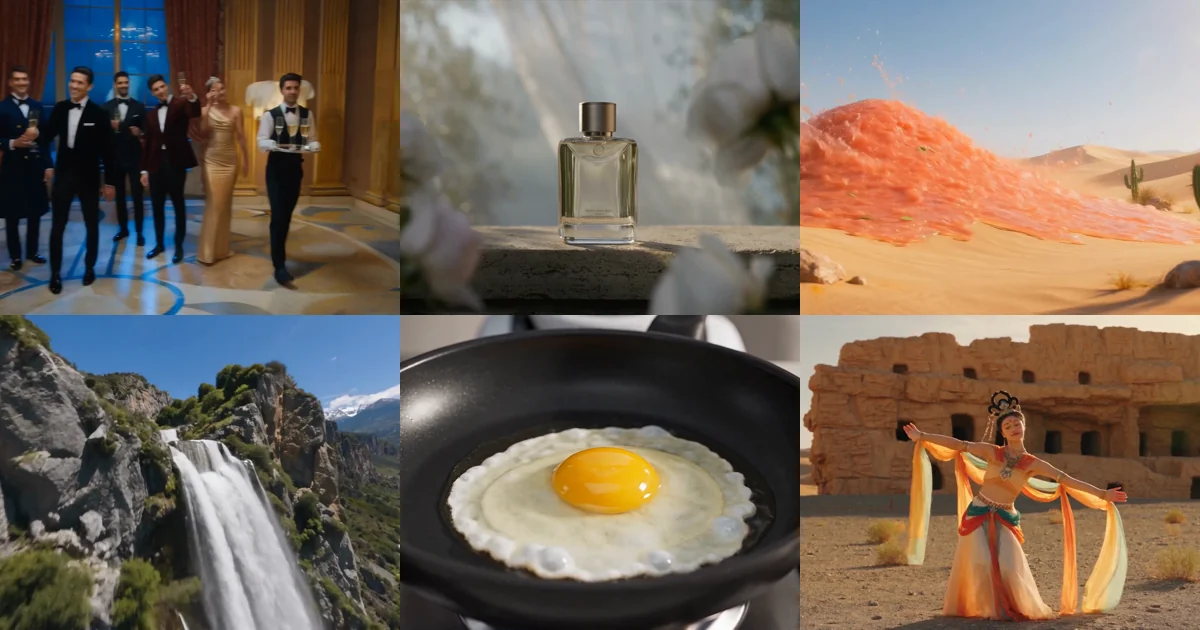
Seedance 2.5: I Read the 50,000-Word Official Manual So You Don't Have To
What actually changed in ByteDance's Seedance 2.5? After reading the official 50,000-word practice guide: the four upgrades that matter, the access gate, and one spec everyone is getting wrong.
Most model launches hand you a spec sheet. Thirty seconds. Fifty references. Ten languages. You read it, you nod, and on Monday you work exactly the way you did before.
I got handed something else — ByteDance's enterprise practice guide for Seedance 2.5. Fifty thousand words, 51 complete production prompts, 92 finished clips. I read all of it.
Here is what I found. Only four things will actually change how you work. And the number everyone is quoting right now — the one about resolution — is not in the manual at all.
What you get here: what each of the four upgrades actually solves, one widely repeated spec with no source behind it, the real access gate, and three rules that will bite you.
1. The four things that matter
1. Thirty seconds in one run — the point is not "longer"
Seedance 2.0 capped a single run at 15 seconds. To make a 30-second piece you generated twice and cut them together.
The problem was never the length. It was the seam. Two separately generated clips drift: the light jumps, the character shifts, the pacing breaks. The time you spend fixing seams often exceeds the time spent generating.
One 30-second run makes that problem disappear.
The more practical use is high-fidelity extension: take a finished clip and have the model write forward from it. The manual has a five-second sprouting shot extended three times in a row, past twenty seconds — and the model handles every join.
2. Fifty reference inputs — the breakdown is the interesting part
Fifty is not remarkable on its own. The split is:
30 images + 10 videos + 10 audio clips
- Images: 4K or below, 30MB each
- Video: 480p–4K, 200MB each, 2–30 seconds each, 30 seconds total
- Audio: 15MB each, 2–30 seconds each, 30 seconds total
Video and audio durations are counted separately — each gets its own 30 seconds.
Against 2.0: images 9 → 30, audio/video 3 clips → 10, total duration 15s → 30s.
But the genuinely new capability is audio-only reference. Audio used to be a supporting input. Now a single music track or voice recording can drive the pacing, beat-matching and lip sync of an entire piece on its own.
That opens a working method that did not exist before: lock the music first, then let the picture follow it. Anyone making music videos, beat-cut content or ads with fixed hit points will see the value immediately.
3. Editing a finished cut — the most underrated of the four
Everyone is talking about the first two. Almost nobody mentions this one, and it changes day-to-day work the most.
You can point at a clip you already generated, change one thing, and leave the rest of the frame exactly as it was.
The manual lists five sub-capabilities:
| Sub-capability | What it does |
|---|---|
| Instruction editing | Change the picture with text, with timestamp ranges |
| Reference-image editing | Change it with text plus a reference image — a specific outfit, say |
| Adding a subject | Insert a person, prop or effect into the existing cut |
| Removing a subject | Delete watermarks, rigs or named objects; the gap fills itself |
| Audio editing | Swap the music, add effects, change a voice |
Removal is the clearest demonstration. The whole prompt is one line:
Video edit: delete everyone in @video1 except the lead.Previously, spotting a continuity error meant regenerating the whole clip — and with it the seed, the parameters and every other detail. Now you change the one thing.
4. More than ten native languages
Chinese, English, Spanish, Indonesian, Malay, Thai, Arabic, Portuguese, Vietnamese, Japanese, Korean and others.
Native is the operative word. This is not dubbing over a finished video: the lip sync, pacing and expression all follow the language. The model can also swap in matching casting for the language.
Combined with editing from the previous section, one master cut becomes several market versions. That is the cheapest path to localised ad delivery, and I break it down in the localization piece.
2. Everyone is quoting 4K. It is not in the manual.
This deserves its own section, because the wrong information is spreading.
Plenty of coverage says "Seedance 2.5 renders native 4K." I read all 50,000 words. "4K" appears in exactly two places:
- Reference images: 0–30, 4K or below
- Reference video: 0–10, supporting 480p–4K
Both describe input. On output resolution, the manual says nothing at all.
So if you are speccing a project right now, do not treat 4K output as confirmed. Wait for the official documentation after general access opens on 7 August, or generate one yourself and read the file.
This does not mean it cannot do it. It means there is currently no official source for the claim. Committing to an unverified spec on a client project puts the risk on you.
3. Reference, edit or extend? Most people get this wrong first
ByteDance admits it in their own manual: these three capabilities "are frequently confused, leading to misaligned prompts and improperly cited material." When the vendor flags a pitfall unprompted, it is a common one.
The prompt formulas are completely different:
| Capability | When to use it | Prompt shape |
|---|---|---|
| Reference generation | You have no existing cut; build from zero | Generation request + @videoN @imageN @audioN |
| Video editing | You have a cut; change part of it | Change request + @video1 (source) + optional material |
| Video extension | You have a cut; write before or after it | Change request + @video1 (source) + optional material |
The typical failure: you want to change the wardrobe in a finished cut, but you write the prompt as if generating from scratch. The model reads that as "make a new video referencing this one" — and everything changes.
The exact shapes for all three, plus how to proportion your material, are in the Seedance 2.5 reference guide.
4. You can upload fifty. Here is why you should not.
This is the most counterintuitive thing in the manual, and it comes from ByteDance themselves.
Section 2.3 is explicit:
- When subject references are audio or video, keep it to 5 or fewer (6–10 if the work demands it)
- When subject references are images, keep it to 8 or fewer (9–12 if needed)
- Individual video and audio clips should run 5–10 seconds — the sweet spot for recognisability and stability
Why not more? The manual is direct: too short (2 seconds) and there is not enough information for stable recognition; too long (30 seconds) and the key features get diluted while noise increases.
There is also a stated priority for when you have too much material:
Core characters > key products and props > setting > overall style
Fifty is a ceiling, not a target. I unpack the proportioning logic in the reference guide.
5. One ad, ten languages
If you run overseas campaigns, this section may be worth more than the previous four combined.
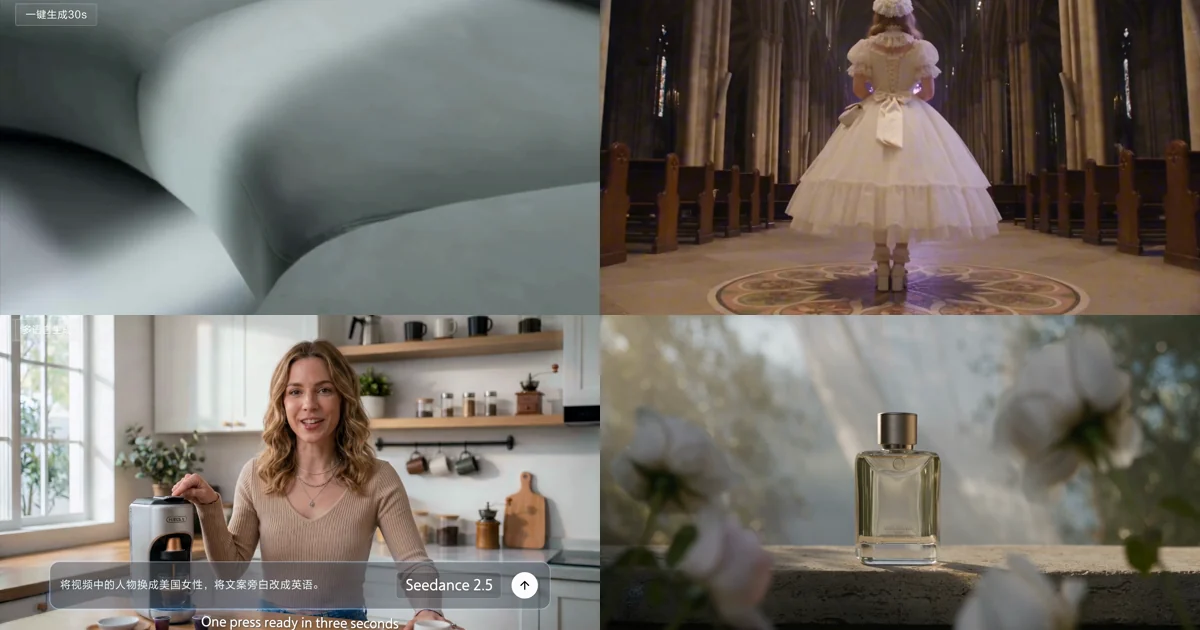
The manual has a complete case: one coffee-machine ad, shot once in Chinese. Then video editing produces four market versions — American, Spanish, Indonesian, Malaysian — with presenter and language swapped together, and framing, pacing and the order of selling points untouched.
The prompts are startlingly simple, one sentence per market:
Replace the person in the video with an American woman and change the
voice-over copy to English.
Replace the person in the video with a Spanish man and change the voice-over
copy to Spanish.
Note that the presenter and the language have to change together. Swap only the audio and a localised ad reads as wrong immediately.
Full method: One ad, ten languages.
6. Access, price, and whether there is a free tier
The short answer: there is no free tier.
| Availability | Volcano Ark experience centre and API expected 7 August 2026 |
| Free quota | None |
| Access gate | Account balance above ¥200, or an existing Seedance 2.0 series resource pack |
| Per-use price | The manual points to Volcano Engine's official price list; not published with the model |
The bar is not high, but it does mean you cannot "just try it for free" first. Budget for metered use from the start.
Three rules that will bite you
A few things are buried deep in the manual, and they hurt when you hit them:
1. In editing and extension modes you cannot change the aspect ratio. Output follows the source strictly. Feed it a vertical source and you will not get a horizontal result.
2. Edited output only "roughly matches" the source duration. The manual's own wording: "due to how the model processes the input, slight differences in duration may occur." If your deliverable has to land on exactly 15.0 seconds, keep a checking step.
3. Mismatched first and last frames get stretched. When using two images as first and last frame, the output follows the first frame's dimensions; a last frame with different dimensions is stretched to fit. Use matching dimensions.
The Bottom Line
- The real workflow change is editing, not the 30 seconds. Length only saves you stitching. Local editing means you stop regenerating a whole clip because of one continuity error.
- 4K output has no official source. The only 4K in the manual is on the reference-input spec. Do not spec a project around that number.
- Fifty is a ceiling, not a target. ByteDance's own guidance is 5 subject references for audio/video, 8 for images, with 5–10 second clips.
Seedance 2.5 is expected to open fully on 7 August. Until then, the highest-value preparation is getting your prompts and reference material ready — both transfer directly, and both can be practised on Seedance 2.0 today.
Want to start now? Generate with Seedance on Imya, or take one of the 51 official prompts and make it yours.
Frequently Asked Questions
When can I use Seedance 2.5?
ByteDance announced Seedance 2.5 at the end of July 2026 and has said the Volcano Ark experience centre and the API are expected to open to everyone on 7 August 2026. Dates on third-party platforms are not fixed publicly.
What changed between Seedance 2.0 and 2.5?
Clip length goes from 4–15 seconds to 30 seconds in a single run, and reference inputs from 12 to 50 (30 images, 10 videos, 10 audio clips). Four things are genuinely new: audio-only reference, local editing of a finished clip with timestamp ranges, forward and backward extension, and native output in more than 10 languages.
Does Seedance 2.5 output 4K?
For reference material, yes: reference images up to 4K and reference video from 480p to 4K can be fed in. But the official manual never states a maximum output resolution for Seedance 2.5, so treat any specific output figure as unconfirmed.
Is there a free tier for Seedance 2.5?
No. ByteDance states there is no free quota for the model. Access requires an account balance above ¥200 or an existing Seedance 2.0 series resource pack.
How many reference inputs can one generation take?
Up to 50: 30 images (4K or below, 30MB each), 10 videos (480p to 4K, 200MB each, 2–30 seconds each, 30 seconds total) and 10 audio clips (15MB each, 2–30 seconds each, 30 seconds total). Video and audio durations are counted separately.
Can I change the aspect ratio when editing a video?
No. In editing and extension modes the model locks some parameters automatically: the output aspect ratio strictly follows the source clip and cannot be overridden. The duration of an extension segment, however, can be specified in the prompt.